
Creating a Kafka Java Project using Gradle (build.gradle)
Set up a Kafka Gradle project: the build.gradle with the kafka-clients Gradle dependency and SLF4J logging configured in IntelliJ and ready to use.
By Stéphane Derosiaux · Updated October 21, 2026
Set up a Gradle project with Kafka dependencies
Before writing Kafka producers and consumers, you need a Java project with the Kafka client library and logging dependencies configured.
What you'll learn:
- How to create a new Gradle project in IntelliJ
- How to add Kafka client dependencies
- How to configure logging with SLF4J
- How to verify your setup works
Create a Kafka Gradle project with build.gradle and set up dependencies
In IntelliJ IDEA, create a new Java Gradle project (File > New > Project)

Then add your Gradle project attributes
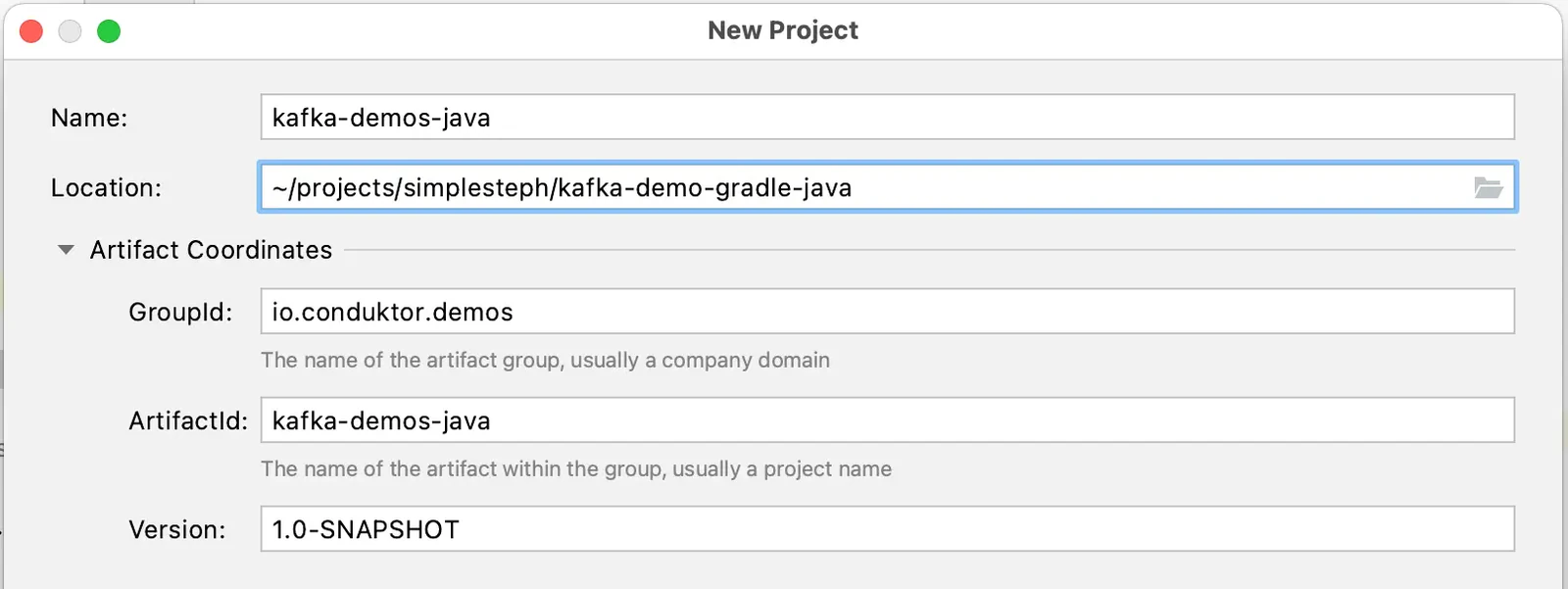
The build tool Gradle contains a build.gradle file. The build.gradle is a default Gradle file that carries all the information regarding the Group and Version values . The user needs to define all the necessary project dependencies in the build.gradle file. Go to the build.gradle file.
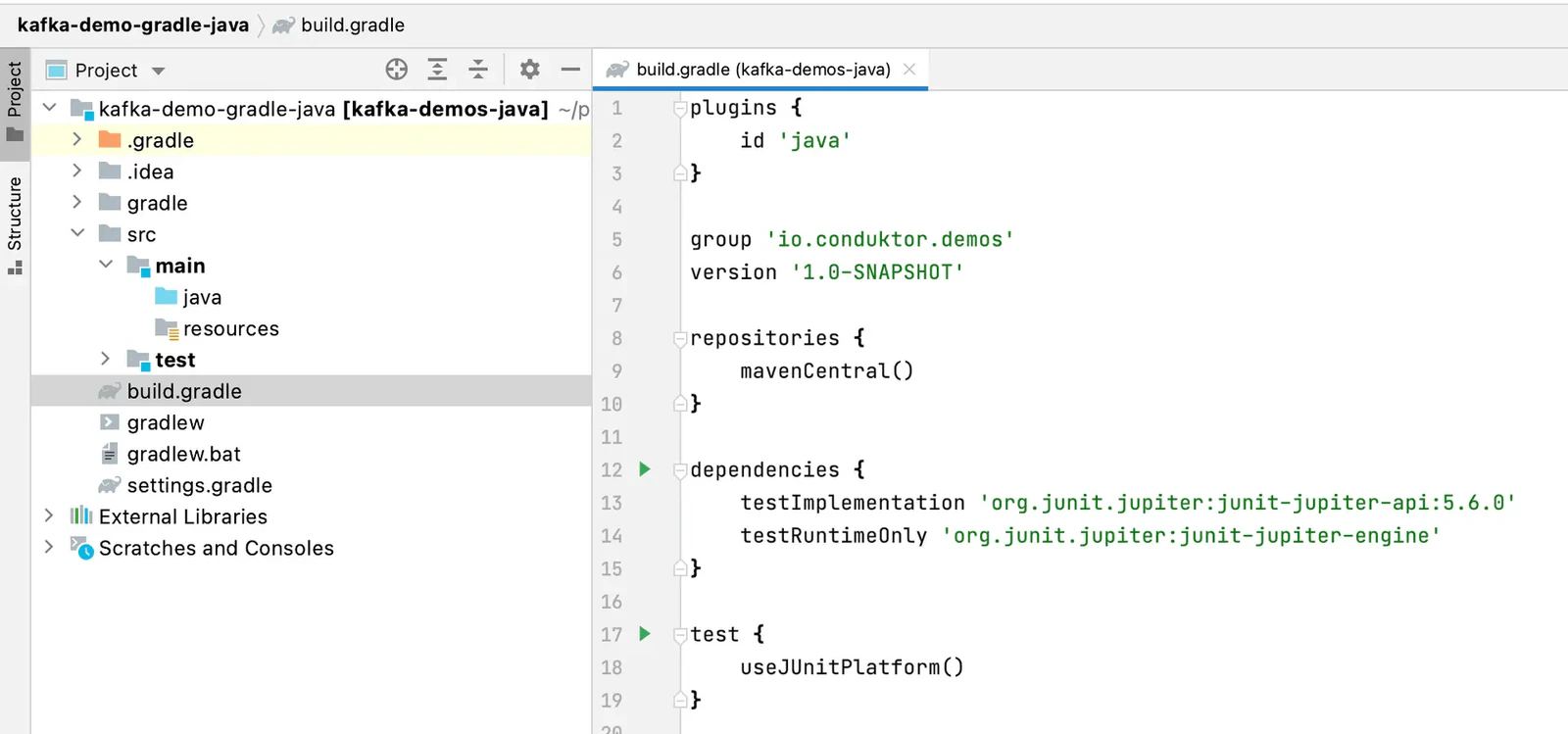
Define the Kafka Dependencies in the dependencies { ... } block.
Add a dependency for Kafka client and logging dependencies as shown below
dependencies {
    // https://mvnrepository.com/artifact/org.apache.kafka/kafka-clients
    implementation 'org.apache.kafka:kafka-clients:2.8.1'

    // https://mvnrepository.com/artifact/org.slf4j/slf4j-api
    implementation 'org.slf4j:slf4j-api:1.7.32'

    // https://mvnrepository.com/artifact/org.slf4j/slf4j-simple
    implementation 'org.slf4j:slf4j-simple:1.7.32'

    testImplementation 'org.junit.jupiter:junit-jupiter-api:5.6.0'
    testRuntimeOnly 'org.junit.jupiter:junit-jupiter-engine'
}
Load the Gradle changes with the menu from the right hand side to import the dependencies
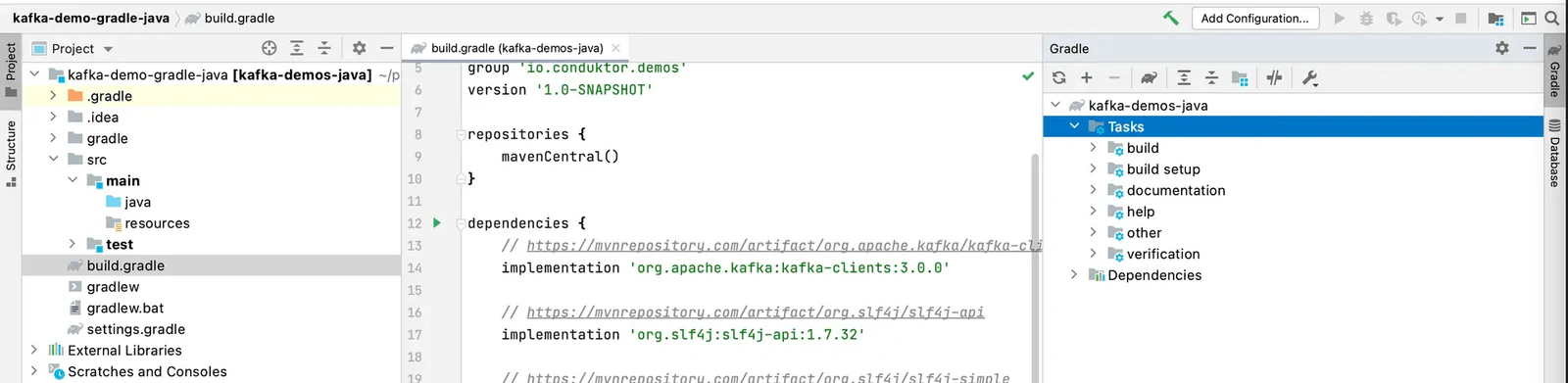
Now, we have set all the required dependencies. Let's try the Simple Hello World example.
Create your first class
Create a java package say, io.conduktor.demos.kafka.HelloWorld
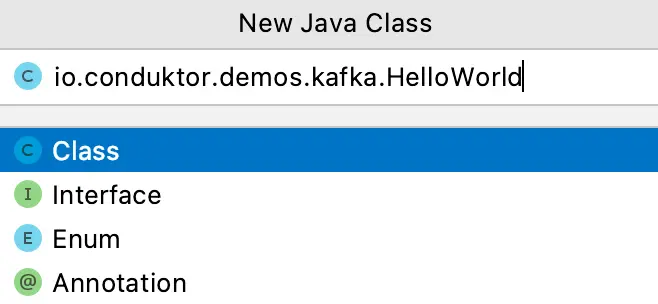
While creating the java package, follow the package naming conventions. Finally, create the sample application program as shown below.
package io.conduktor.demos.kafka;

import org.slf4j.Logger;
import org.slf4j.LoggerFactory;

public class HelloWorld {
    private static final Logger log = LoggerFactory.getLogger(HelloWorld.class);

    public static void main(String[] args) {
        log.info("Hello World");
    }
}
Run the application (the play green button on line 9 in the screenshot below) and verify that it runs and prints the message, and exits with code 0. This means that your Java application has run successfully.
Expand the 'External Libraries' on the Project panel and verify that it displays the dependencies that we added for the project in build.gradle file
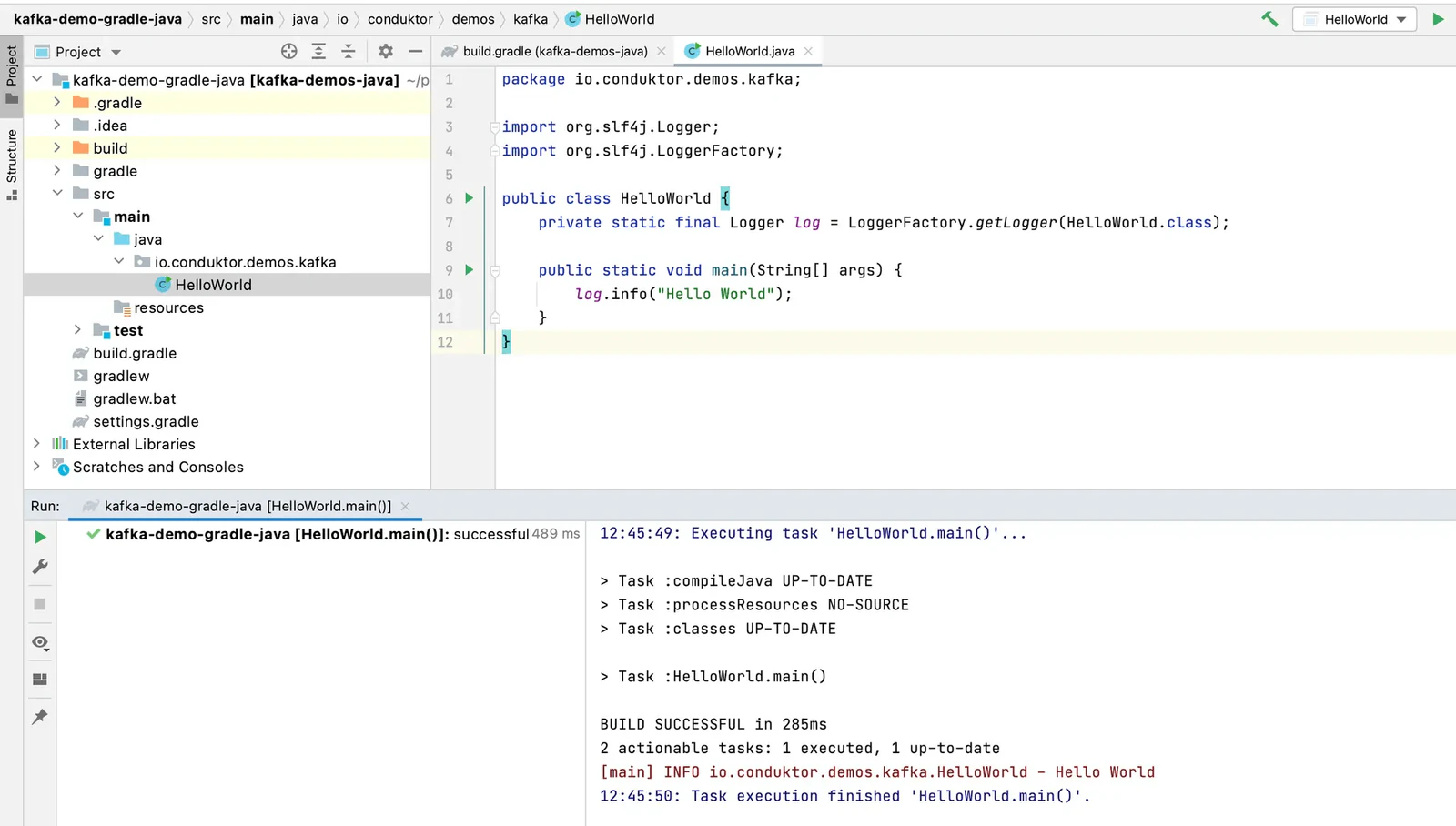
We have created a sample Java project that includes all the needed dependencies. This will form the basis for creating Java producers and consumers next.
See it in practice with Conduktor
Once your project is set up, use Conduktor Console to create topics, inspect messages, and test your Kafka applications during development.
Next steps
- Create a Kafka producer to send your first messages
- Create a Kafka consumer to read messages
- Set up with Maven if you prefer that build tool