
Schema Registry Proxy
Authorize. Audit. Govern.
A schema-registry-aware proxy that adds access control, auditing, and policy enforcement to the schema registry you already run. Point your clients at it. No code changes.
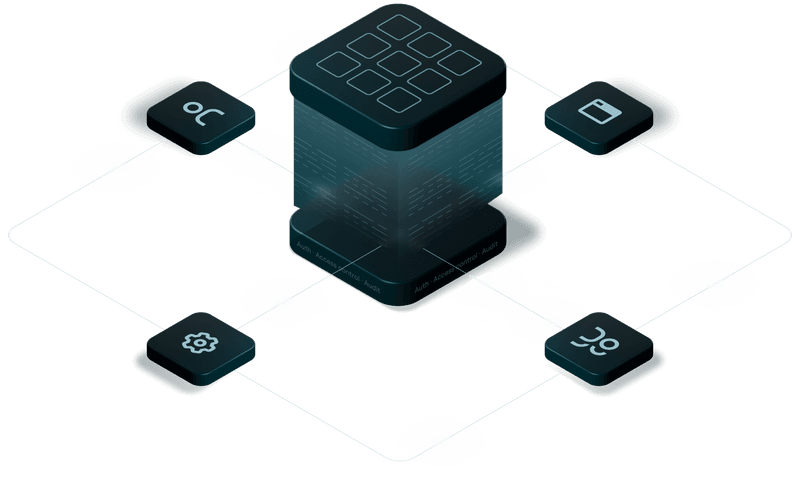
Let's protect the schema registry like we protect Kafka.
We built the Schema Registry Proxy so every schema operation is authorized and on the record, on the registry you already run, with the identities you already manage. Drop in, and point to any provider.
Speaks schema, not just HTTP
The usual fix is nginx or an API gateway in front of the registry. Sensible, but it guards routes and methods, not subjects. It can't tell a new version from a destructive overwrite, because it has no idea what a subject or a schema is.
The proxy speaks the schema registry's own API. It reasons about subjects, versions, and compatibility, so every rule is expressed in the registry's own terms.
Authorization out of the box
Open-source registries give you coarse roles or a password file, and no per-subject control. Confluent's answer is Confluent Platform RBAC, often $100k+ a year. Either way, anyone with access can change any schema, and the burden is on you.
Per-subject read and write permissions, checked on every request, on the registry you already run. And they come from where they already live: your Kafka ACLs or federated ownership in Console. No platform license.
Put every operation on the record
Out of the box, schema registry auditing doesn't exist. From vendors, it's another paid tier. A schema changes, consumers break, and there is no record of who did it, when, or why. Compliance asks for evidence and there is none to give.
Every operation is traced end to end, every denial is logged with who tried what, and every permission change is recorded.
Grant · Enforce · Observe.
Give each application its subjects, let the proxy check every call, and keep a record of everything. Permissions come from Console or the Kafka ACLs you already manage.
apiVersion: self-serve/v1
kind: ApplicationInstance
metadata:
  application: "payments"
  name: "payments-prod"
spec:
  cluster: "prod-kafka"
  serviceAccount: "payments-service"
  resources:
    - type: TOPIC
      patternType: PREFIXED
      name: "payments"
    - type: SUBJECT
      patternType: PREFIXED
      name: "payments"

$ conduktor apply -f payments-prod.yaml
ApplicationInstance/payments-prod: Created
$ kafka-acls --bootstrap-server kafka:9092 \
--command-config admin.properties \
--add --allow-principal User:payments-service \
--operation WRITE --operation READ \
--topic payments --resource-pattern-type PREFIXED
Adding ACLs for resource ResourcePattern(resourceType=TOPIC,
name=payments, patternType=PREFIXED):
(principal=User:payments-service, host=*,
operation=WRITE, permissionType=ALLOW)
(principal=User:payments-service, host=*,
operation=READ, permissionType=ALLOW)
# subjects inherit their topic's ACLs:
# subject payments-value → topic "payments"# payments-service registers a new version
$ curl -X POST http://srp:8080/subjects/payments-value/versions \
-H "Authorization: Bearer $PAYMENTS_TOKEN" \
-H "Content-Type: application/vnd.schemaregistry.v1+json" \
-d @new-schema.json
{"id": 7}
# analytics-service, never granted payments-*, tries the same
HTTP/1.1 403 Forbidden
{
"error_code": 403,
"message": "Forbidden: Service account
'analytics-service' is not authorized
to Write resource 'payments-value'"
}POST /subjects/{subject}/versions 38ms
│ http.method: POST
│ http.target: /subjects/payments-value/versions
│ http.status_code: 200
│
└─ HTTP POST schema-registry:8081 31ms
# one trace per operation: proxy overhead,
# backend latency, and status on every span{
"@timestamp": "2026-06-05T01:12:09.482Z",
"level": "WARN",
"service": "schema-registry-proxy",
"message": "Authorization failed: Service account
'analytics-service' is not authorized
to Write resource 'payments-value'"
}
{
"@timestamp": "2026-06-05T01:14:51.077Z",
"level": "WARN",
"service": "schema-registry-proxy",
"message": "Authentication failed: JWT validation
failed: Expired JWT"
}The same registry, locked down.
Put the proxy in front of the schema registry you already run.
Nothing about your applications changes. Everything about who can touch schemas does.
Before Schema Registry Proxy
Some teams run the registry wide open. Most front it with a generic HTTP proxy that checks routes and tokens. Both guard the door, not the schemas behind it.
After Schema Registry Proxy
Every request is authenticated against your identity provider and checked against per-subject permissions. Add Conduktor Console for federated ownership and human schema management.
A schema is a deliverable, not a runtime accident
Most schema incidents start the same way: the schema is born as a side effect of the first message a service sends. Ship it on purpose instead, and the failures move left into code review, where they are cheap.
Register it on purpose
The Confluent serializer registers a schema on first produce, auto.register.schemas on by default. It lands whenever that code path first runs, often hours after deploy, so a break is hard to trace back to its cause. Provision schemas ahead of the deploy and the registry validates them before anything ships.
One compatibility history per environment
Dev accumulates more versions than QA, QA more than prod. Each has its own compatibility lineage, so a change that passes in dev can still be rejected against prod. Check it against the environment you are promoting into, and dev warns you before you get there.
Schemas as code
Keep subjects in version control, review them in a pull request, apply them from CI. The manifest the proxy reads is a file in your repo, so evolving a schema is a diff someone approves, not a call an app makes at runtime.
Built to drop into your stack. Works with any registry that implements the Confluent Schema Registry API, including Confluent Cloud, Apicurio, and Karapace.
Per-subject permissions
Read and write per subject, with exact, prefix, and wildcard matching. Checked on every request, before anything reaches your registry.
Your identity provider
Keycloak, Auth0, Okta, Microsoft Entra ID, or any OAuth2/OIDC provider with a JWKS endpoint. Automatic key rotation included.
Kafka-native permissions
Delivered through a Kafka topic from Console and applied in seconds, or read from your existing ACLs. No restarts, no new datastore.
Fails closed
If a permission can't be verified, the request is denied. Errors and timeouts never fail open.
Traces, logs, and metrics
One OpenTelemetry trace per operation, every denial logged with the caller's identity, and Prometheus metrics out of the box.
Runs where Kafka runs
A single container, on-premises, in the cloud, or air-gapped. Alongside Gateway or on its own.
Resource policies · next
Set schema standards once: compatibility floors, format requirements, naming and namespace conventions, and required documentation, enforced at registration for every team and tool.
Rate limiting · next
Per-principal request limits, so one bad deploy in a restart loop can't flood the registry every other team depends on.
Four Ways to Run a Schema Registry
Most teams are in one of the first three columns today.
| No protection | Generic HTTP proxy | Confluent Platform RBAC | Schema Registry Proxy | |
|---|---|---|---|---|
| Authorization | None | Route allowlists | Per-subject RBAC | ✓ Per-subject, prefix and wildcard |
| Understands | Nothing | URLs and methods | Subjects | ✓ Subjects and your Kafka identities |
| Identity | None | Separate auth config | Confluent's identity plane | ✓ OIDC / OAuth2, the same accounts as your Kafka |
| Works with | Any registry | Any registry | Confluent Platform only | ✓ Any registry with the Confluent SR API |
| Licensing | Free | Engineering time | Full platform license | ✓ Standalone |
| Maintenance | None | Your team | Confluent | ✓ Conduktor |
Moving off Confluent? Plan for your schema permissions.
Subject-level RBAC on the schema registry is part of Confluent Cloud and Confluent Platform, not of the registry API. Choose to run your clusters elsewhere, on MSK, Strimzi, Aiven or self-hosted, and the registry you land on is a community Confluent Schema Registry, Karapace or Apicurio: no per-subject authorization, a static permissions file, or a few fixed roles. Nothing is wrong with that choice. It just means one guarantee your teams relied on has to be put back, and it is easy to miss on a migration checklist.
The proxy is how you put it back, and the result fits the rest of your Conduktor stack. Per-subject read and write, granted the way topics already are: from the Kafka ACLs you are migrating anyway, or through federated ownership in Console, where the team that owns a topic owns its subjects and grants access in self-service. Every operation and every denial is audited, with the caller's identity.
It is the same client change as the migration itself, schema.registry.url. Gateway moves the clusters without touching applications; the proxy does the same for the registry. Migrate first and add it later, or bring it along from day one. Either way, your teams keep the permissions they had.
The Topic ACL Authorizer is deprecated. Your ACLs don't have to be.
For years, the Topic ACL Authorizer let topic owners govern their own subjects. Confluent Platform 8.0 deprecates it, which puts every team that relies on it on a migration clock toward Confluent RBAC, an enterprise-license feature.
Moving to RBAC is not a config flag. The topic-based grants your teams built up have to be re-modeled as role bindings and rewritten across every cluster and environment, on top of the platform license, a change program in its own right.
There's a third option. The proxy's standalone mode is modeled after the authorizer: the same topic ACLs keep governing the same subjects. Point schema.registry.url at the proxy and upgrade on your own schedule. No RBAC migration, no platform license.
Do I need to change my application code?
No. Update schema.registry.url in your Kafka client configuration to point at the proxy. Producers and consumers continue using their existing serializers and deserializers. No code changes, no library swaps.
How are permissions managed?
Two ways. Through Conduktor Console, where subjects join your federated ownership model and changes apply in seconds via Kafka. Or standalone, where the proxy reads the Kafka topic ACLs you already manage. Console is not required.
Can it replace the Confluent Topic ACL Authorizer?
Yes. Standalone mode is modeled after it: the same topic ACLs govern the same subjects, with the same semantics. It works on Confluent Platform 8.0 and beyond, where the authorizer is deprecated. The deployment guide covers the exact mapping.
Which schema registries does the proxy support?
Confluent Schema Registry and any registry that implements the same REST API, including Confluent Cloud.
What can applications do through the proxy?
Only what they need: produce and consume against schemas that already exist. Evolution, meaning new versions, compatibility changes, and deletes, goes through a governed workflow like Console, so destructive and configuration endpoints are never on the path an application uses. And with runtime registration off, a client can no longer register a schema the first time it produces, hours after deploy, which is where auto-registration usually bites.
Why keep deletes and compatibility changes away from applications?
Because both are close to irreversible. Delete a subject or a version and every message still serialized against it becomes unreadable, so you lose the ability to deserialize your own history, the same way losing a key makes encrypted data unrecoverable. Loosening a subject's compatibility mode is quieter but just as damaging: the next incompatible version passes with no error at the time, and the guarantee every consumer relied on is gone. These are deliberate, authorized acts, not something an application or a stray UI should be able to trigger.
Why not just use the schema registry's own authorization?
Two native options exist and both disappoint. One infers permissions from Kafka, where whoever can write a topic can write its subject, which is what the Topic ACL Authorizer gave teams, now deprecated in Confluent Platform 8.0. The other is a native permissions API, but almost no ecosystem tooling grew around it, no Terraform, no Ansible, no wrappers, so few teams ever adopted it. That leaves Confluent RBAC and the full platform license. The proxy gives you per-subject authorization on any registry, with the Kafka identities you already have, without that trade.
We're moving off Confluent. What happens to our schema registry permissions?
Subject-level RBAC stays with Confluent Cloud and Confluent Platform; the community registry, Karapace or Apicurio you move to won't enforce it on its own. The proxy puts per-subject authorization back in front of whichever registry you choose, from your Kafka ACLs or through federated ownership in Console, with self-service grants and a full audit trail. Add it to the cutover plan and your teams keep the guarantees they had, on your own terms.
What's the relationship between the Schema Registry Proxy and Conduktor Gateway?
The same philosophy at a different layer. Gateway sits in front of your Kafka clusters. The Schema Registry Proxy sits in front of your registry. Both enforce who can do what without touching clients, and they share the same identities. Deploy them together or independently.
Ready to govern your schema registry?
Our team can walk you through a deployment that fits your identity provider, your Kafka setup, and your compliance requirements.