
May 2026
Break down Kafka costs by team
Chargeback now shows storage, partition and traffic costs by team on one page. Each Self-service right goes to the people who should hold it.
This release helps platform teams show each team what its Kafka costs, and share out access work without handing over full ownership.
See storage, partition and traffic costs by team, on one page
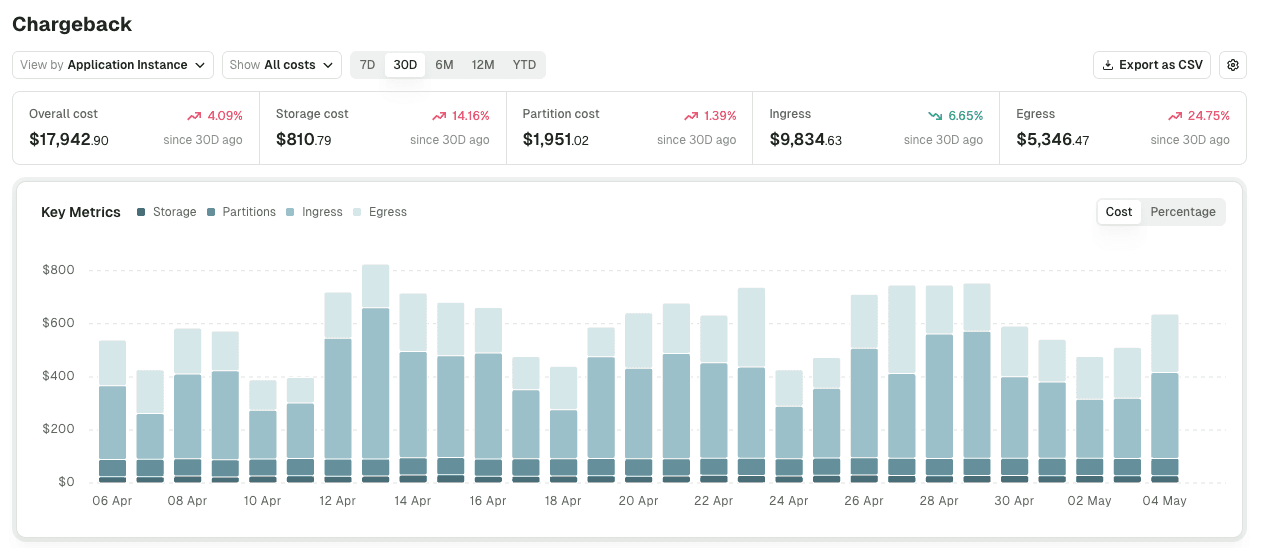
Leadership asks what each team's Kafka costs. Chargeback answered in two places: storage and partitions on one page, traffic on another, and only through Gateway. One page now covers all four:
- group costs by cluster, application, or a label such as team or cost center
- open any row to see the topics and service accounts behind it
- see Confluent Cloud ingress and egress without Gateway
The platform team gives leadership one figure per team, with no reports to stitch together. Traffic costs need Confluent Cloud or Gateway; an administrator turns Chargeback on. Set up Chargeback →
Give each Self-service right to the people who should hold it
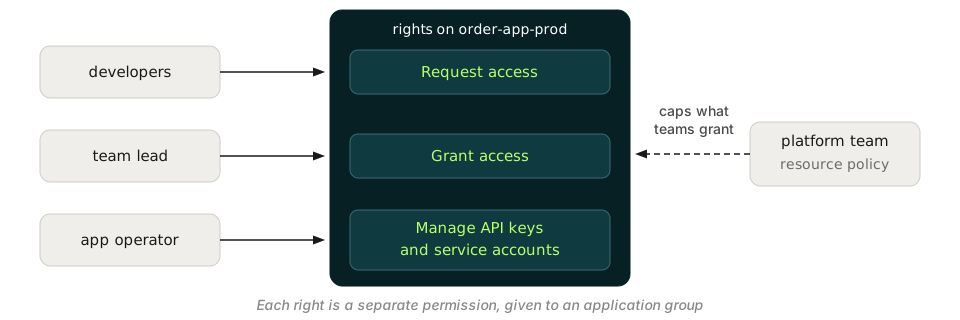
An application's owner group held every right at once: requesting access, approving it, and managing API keys and service accounts. Each is now a separate permission, given to an application group:
- developers request access to other teams' topics without approving requests
- team leads approve access to the team's own topics
- whoever runs the application manages its API keys and service accounts
- platform teams cap what teams grant themselves, such as approvals through GitOps only
Everyone gets the rights their job needs, no more. Current owners keep their rights on upgrade. Set up instance permissions →
Give a team the slice of a topic it needs, without copying it (preview)
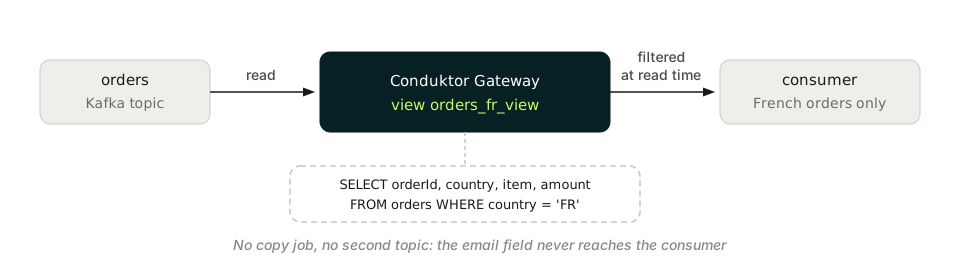
A team that needed part of a topic got a copy, filtered into a second topic by a Kafka Streams or Flink job. Gateway topic views now filter and reshape records as they're read from the original topic.
The consuming team reads only the records and fields it needs, and the platform team has no copy job to run. In preview, views read JSON without a schema and are turned on per Gateway. Read about topic views →
Run Self-service on Confluent Platform with your RBAC role bindings
On Confluent Platform, Self-service created Kafka ACLs, so teams that manage access with Confluent role bindings ended up with ACLs beside them. Turn on role bindings for the cluster, and Self-service creates them instead:
- topics an application owns and access requests you approve become role bindings
- the matching schema subjects get role bindings too
- each service account's page in Console lists them
Confluent Platform teams adopt Self-service without a second permission model. Console reaches the Metadata Service over LDAP, and application-managed service accounts still get ACLs. Switch to role bindings →
Require client certificates from partners, not from internal apps (preview)
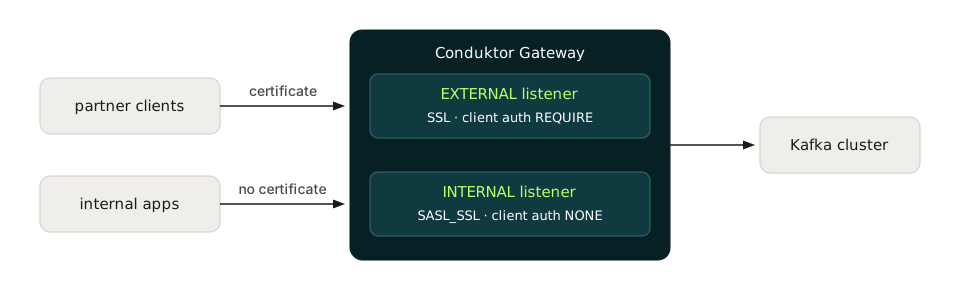
One client certificate rule applied to every Gateway client, so partners that must present a certificate and internal apps that don't got a Gateway each. With multiple listeners, each listener now sets its own rule.
The platform team serves both from one Gateway. Multiple listeners are in preview. Set up mutual TLS per listener →
Also in this release
- Real client IPs behind a load balancer: when the balancer sends the PROXY protocol, Gateway can log the client's IP, not the balancer's.
- AWS Glue schemas as code: application teams declare Glue schemas in YAML and apply them with the Conduktor CLI, like their topics.
- Faster Interceptor rollouts: applying many Interceptors through the CLI or Gateway's Admin API is up to 10 times faster.
- Schema access per application (preview): application teams give their own service accounts read and write rules on schema subjects, enforced by Schema Registry Proxy.
For a full list of changes, read the complete release notes.
Enjoying the new features? Share your experience on G2