
August 2026
Live lineage, Flink SQL, and Chargeback
Stream Lineage now shows live traffic. A Flink SQL workbench arrives for Confluent Cloud, and application owners get Chargeback for their own applications.
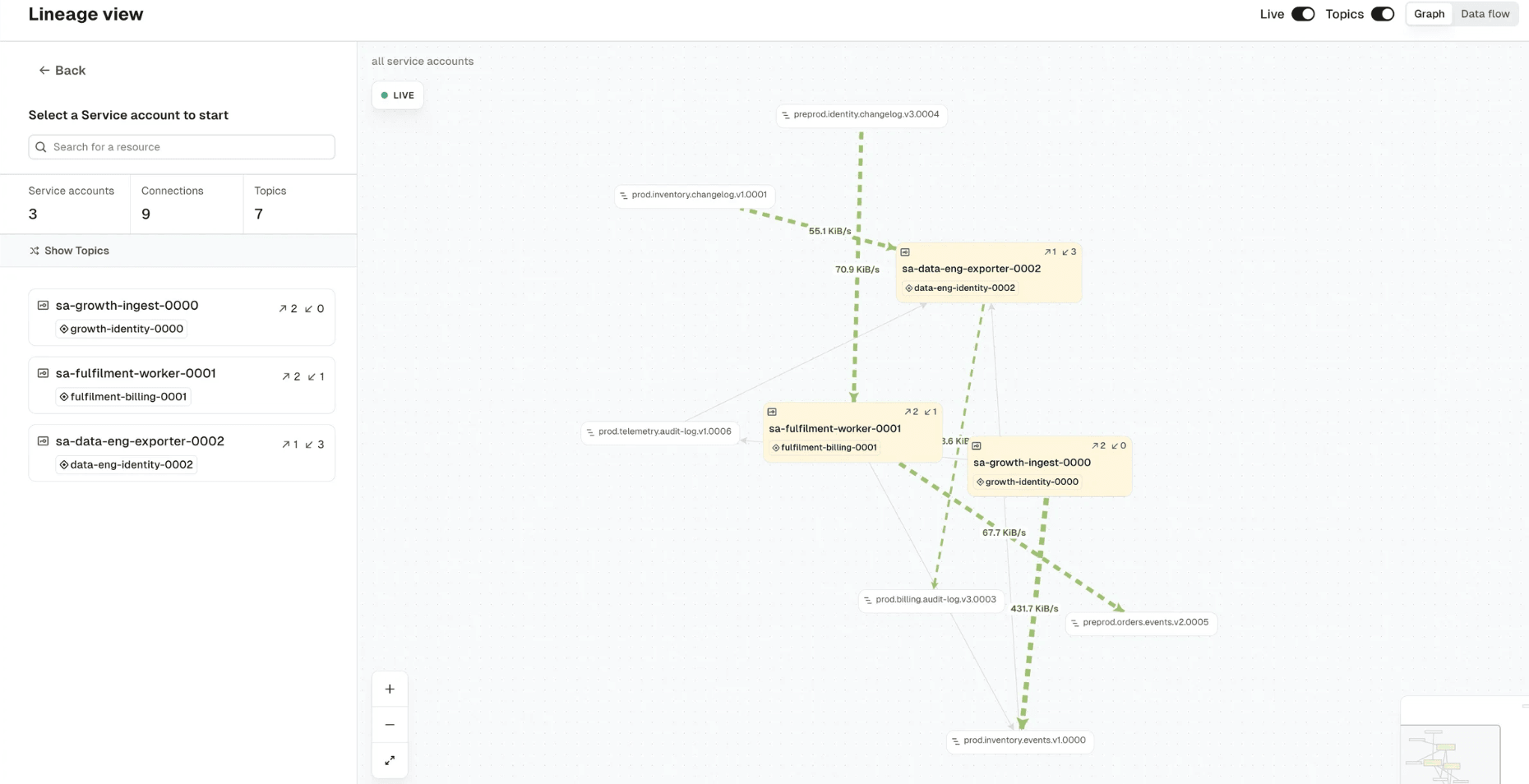
See live traffic in Stream Lineage
Stream Lineage now shows live traffic. Each connection reports its current throughput, and the graph updates as traffic changes. Access-based lineage tells you what an application is allowed to read; live traffic tells you what it actually reads. That's how you spot a permission nobody uses, or confirm a consumer has really been cut over.
Traffic data comes from Gateway, so it needs a cluster running the observability Interceptor. Lineage is also faster: graphs with thousands of topics and service accounts draw in a couple of seconds and stay responsive as you pan and zoom. Explore Stream Lineage →
Flink SQL on Confluent Cloud (preview)
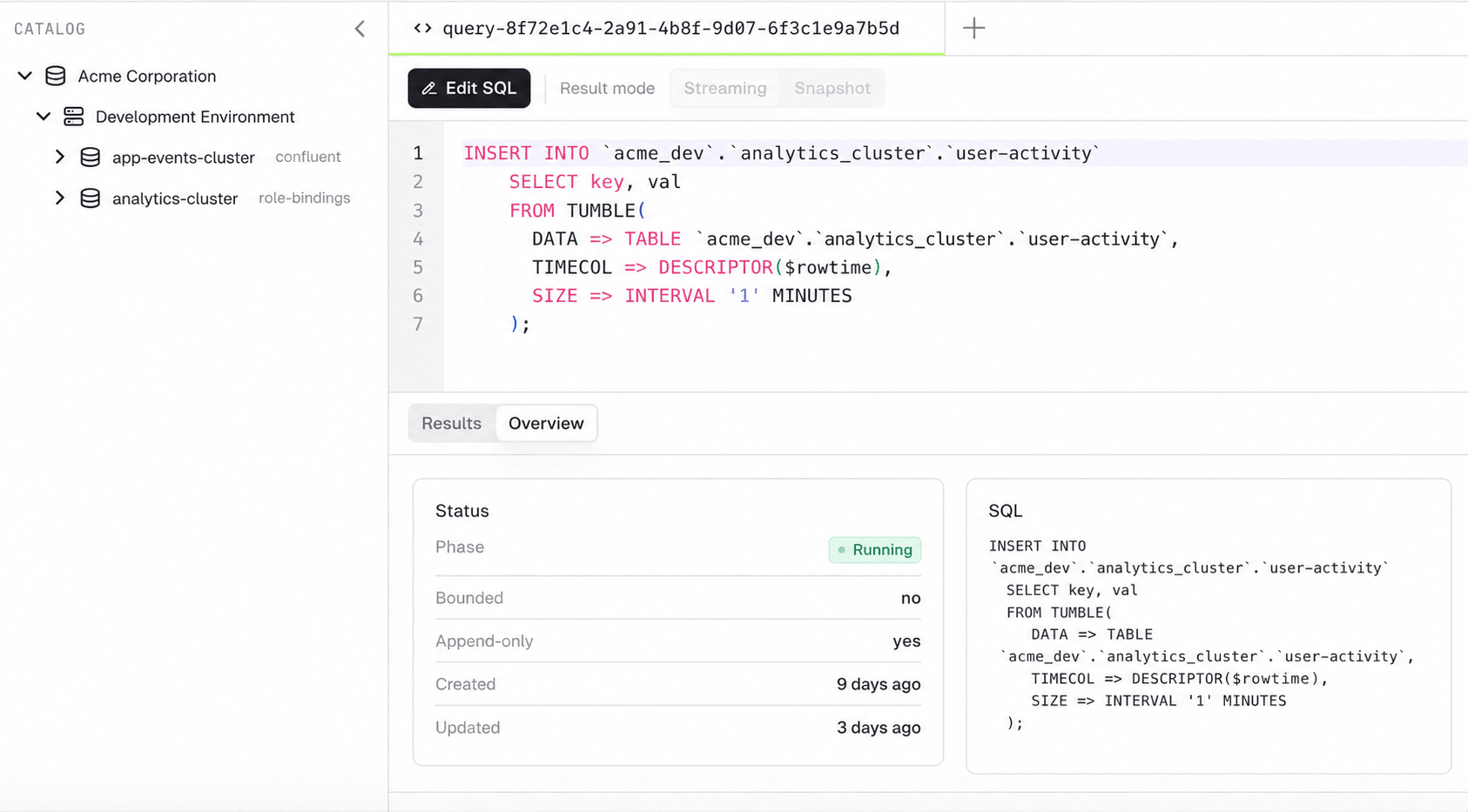
Console now includes a Flink SQL workbench. List the statements running across your Confluent environments, write and run new ones with a catalog browser alongside the editor, watch results stream in live, export to CSV, and stop or delete statements without leaving Console.
It respects the permissions you already have: Console parses each statement's SQL and checks every topic it touches against that user's own Kafka permissions. Flink access follows your existing RBAC.
This preview covers Confluent Cloud Flink only. Read how the permission check works → or the release notes →
Chargeback and alerts, owned by the teams that use them
Application owners can see Chargeback scoped to their own application and delegate that visibility to their team. The same applies to alerts and service accounts, which owners manage for their own resources without platform-wide permissions.
Platform teams get reusable permission templates, plus a resource policy on application instance permissions to bound what can be delegated. It's all opt-in and off by default. Learn about self-service →
Client metrics: KIP-714 telemetry without touching your clients
Gateway now terminates KIP-714 client telemetry and forwards it to an OpenTelemetry collector, enriched with the identity Gateway already knows: client_id, principal, and vcluster.
Kafka clients from 3.7.0 onward push these metrics by default, so for most fleets you get producer and consumer visibility without touching client code or configuring KIP-714 on your brokers. Configure client metrics →
SCRAM credentials for Gateway service accounts
Local Gateway service accounts support long-lived SCRAM-SHA-512 and SCRAM-SHA-256 credentials, with no expiry to rotate. Gateway derives a verifier from the password and stores only that. Manage Gateway service accounts →
Incremental fetch sessions are generally available
KIP-227 incremental fetch sessions are generally available and on by default. A consumer opens a session with one full Fetch request, then sends only the partitions that changed on each later request while the broker tracks the rest. Fetch requests get smaller, consumers reading hundreds of partitions get faster, and there's nothing to configure. Read about incremental fetch sessions →
For a full list of changes, read the complete release notes.
Enjoying the new features? Share your experience on G2