
Get Started with Console
One platform to explore, build, secure, and govern Kafka. Works with Confluent, MSK, Redpanda, or any Kafka 2.5+.
Send this prompt to your coding agent. It installs the skill, then Console.
Install the Conduktor skill with npx skills add conduktor/skills -g -y, then use it to install Conduktor and set it up so I can log in.
Nothing opened? The prompt is in your clipboard: paste it into your agent.
Uses the open-source Conduktor skill · See what it can do →
curl -fL https://releases.conduktor.io/quick-start | docker compose -f - up
Access the Console at localhost:8080 once it's running. Ships with embedded Redpanda, Schema Registry, and sample data. Full Docker install docs →
helm repo add conduktor https://helm.conduktor.io
helm install console conduktor/console \
  -f values.yaml
kubectl port-forward deployment/console 8080:8080
Deploys Console with the official Helm chart, backed by your own PostgreSQL database (set in values.yaml). Swap the port-forward for an ingress to share it with your team. Full Kubernetes install docs →
A CloudFormation stack provisions the VPC, an ECS Fargate service, and an RDS PostgreSQL database. Running EKS? Use the Kubernetes tab.
Copied to clipboard
Finally, see what your Kafka is doing
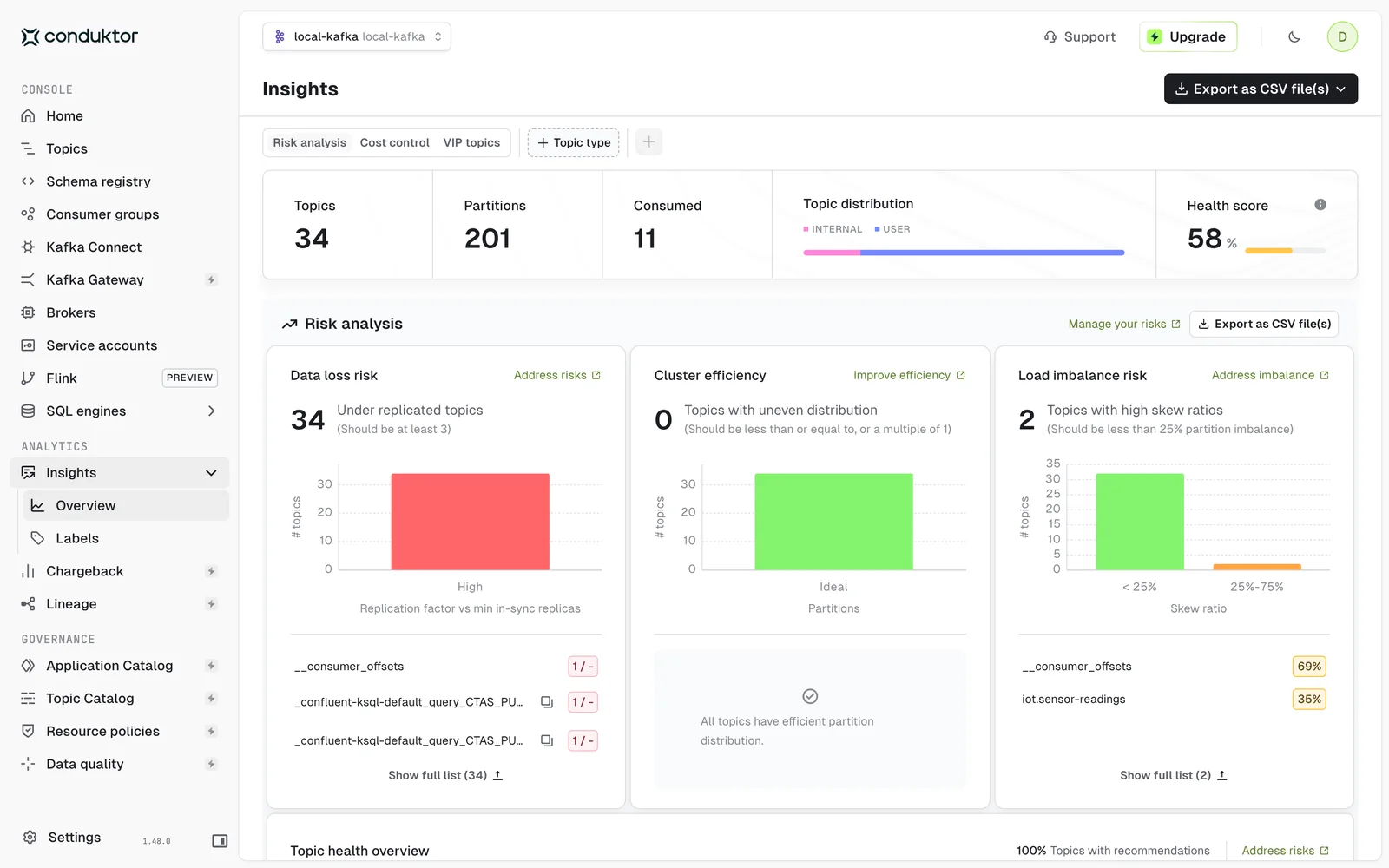 34 topics could lose data
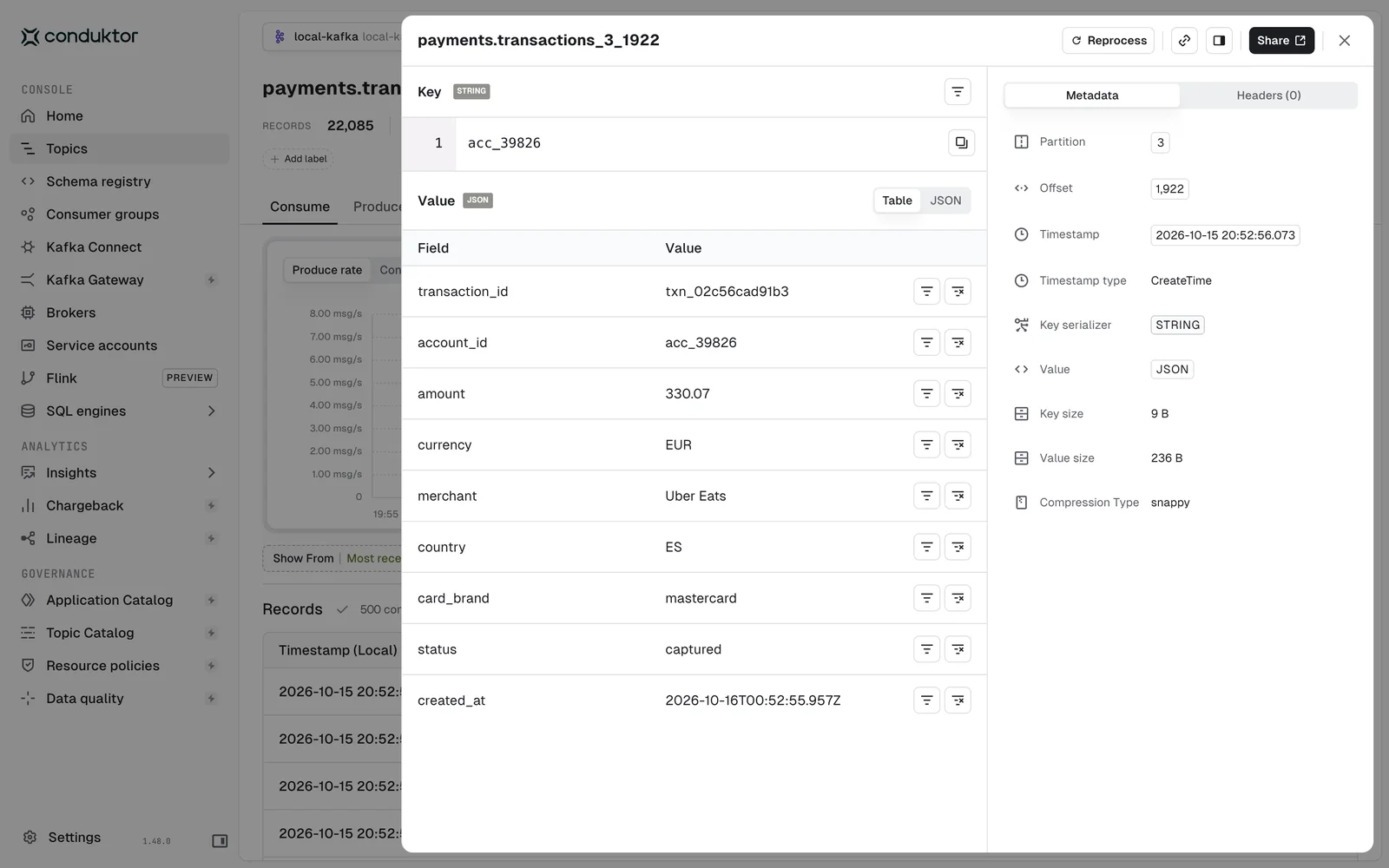 Decoded, field by field
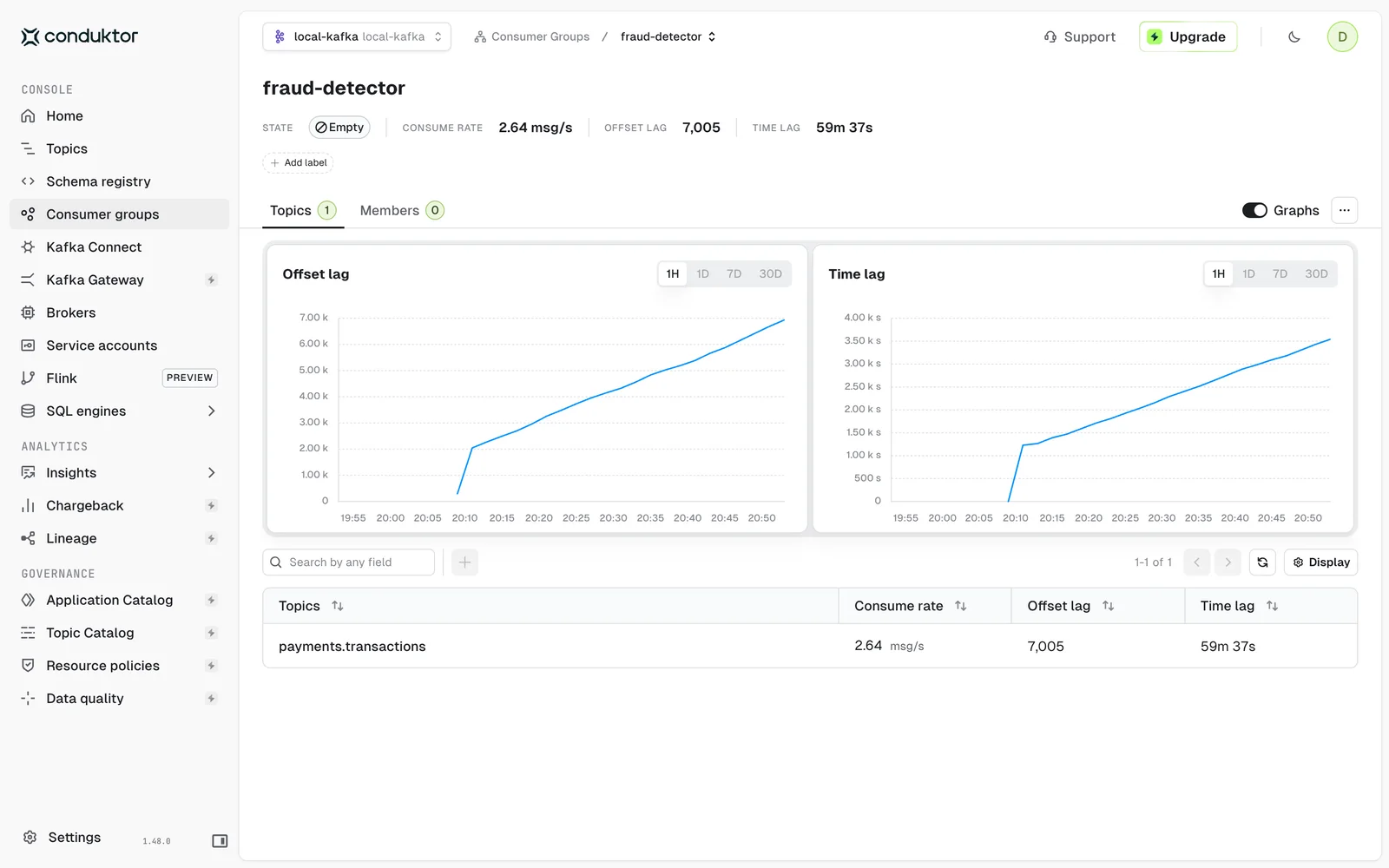 7,005 messages behind · 59 min
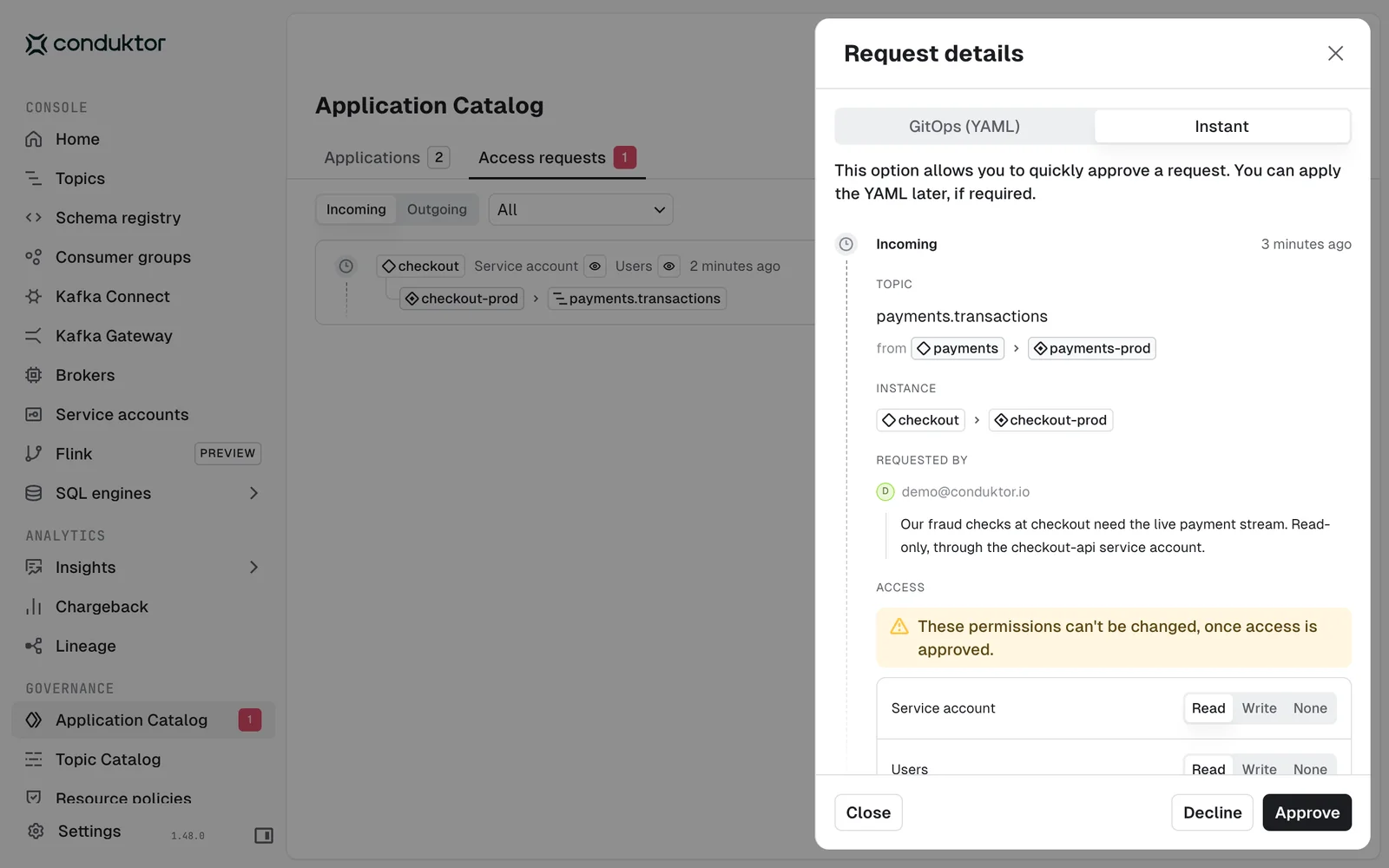 The owner approves, not a ticket queue
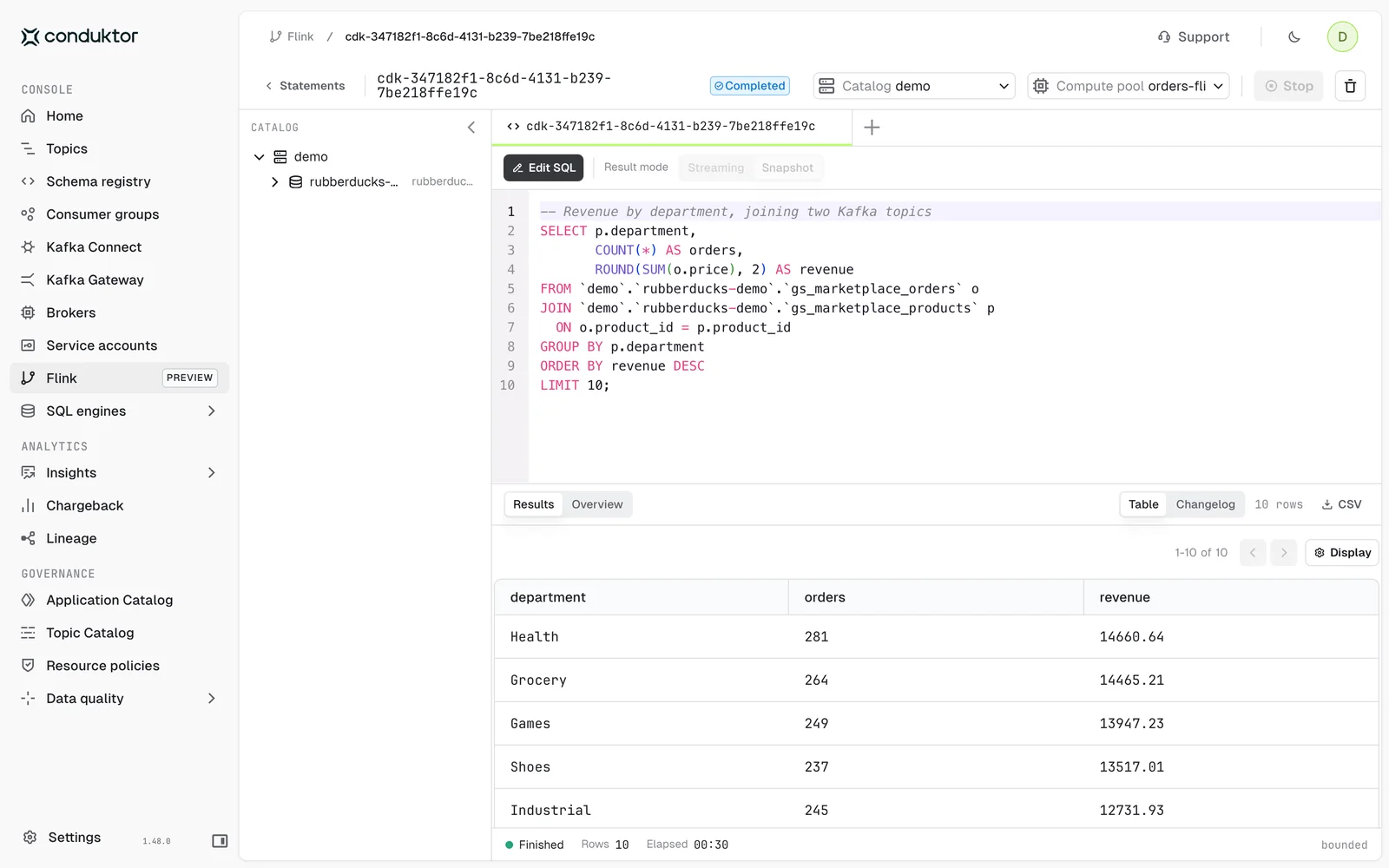 2 topics joined in SQL · top 10 in 30 s
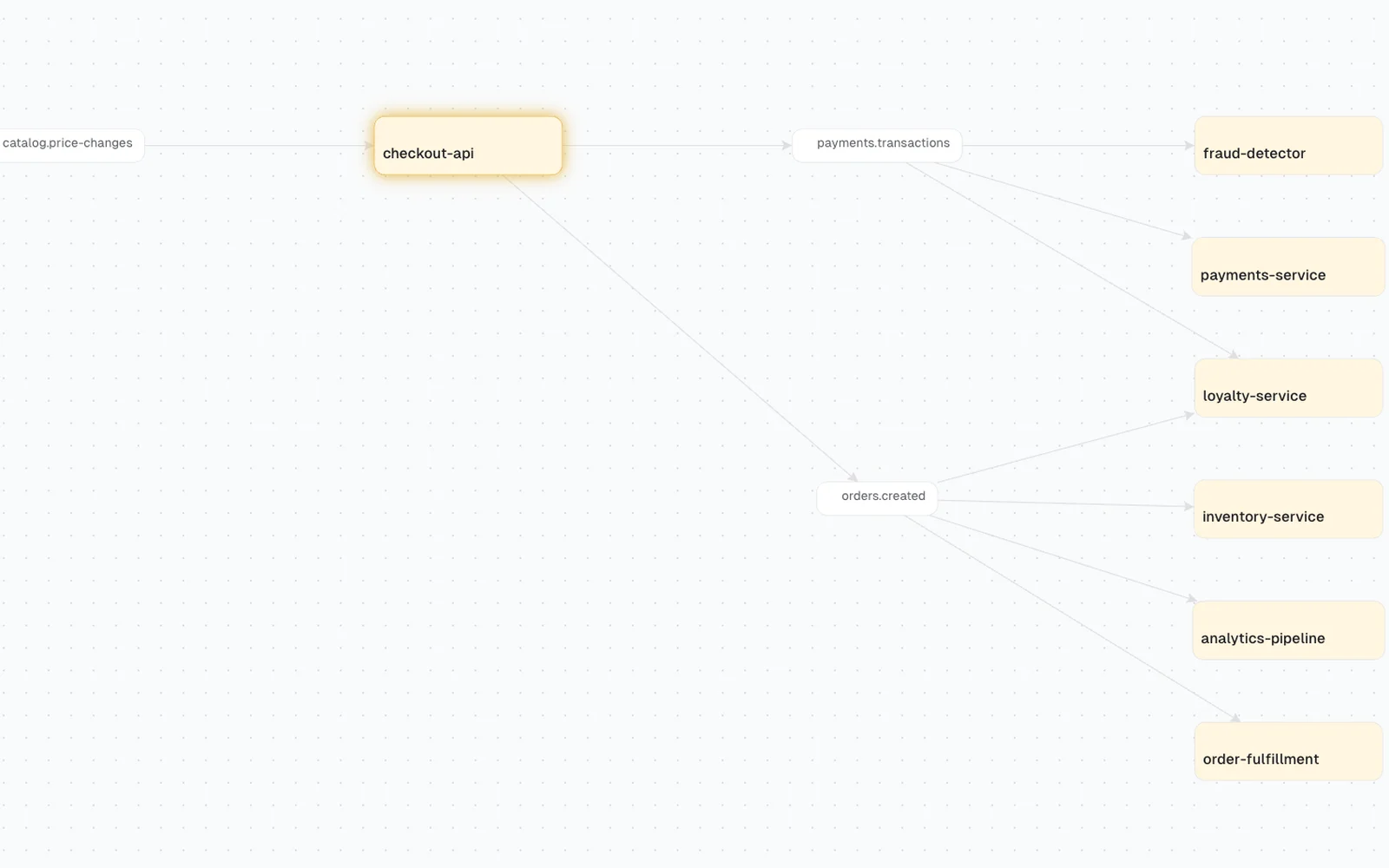 6 services downstream of checkout-api
A health score for your cluster, and the topics that could lose data if a broker fails.
Open any record and read it field by field: JSON, Avro or Protobuf.
Spot the consumer that stopped, and how far behind it is.
Need another team's data? Ask from the catalog, say why, and the team that owns it approves. Self-service comes with Team Edition.
Query and join your topics with Flink SQL, on Confluent Cloud compute pools, with Console's permissions on every topic.
Before you change a topic, see every service that reads it. Lineage comes with Team Edition.
Team Edition
Ready for more clusters, more teams, more control?
Everything in Community, plus the governance, automation, and Insights teams need to run Kafka at scale. Self-serve, no sales call.
- Unlimited clusters
- Federated ownership & approval workflows
- Topic policy enforcement
- Cost chargeback & advanced Insights
- Group-level RBAC
- Unlimited audit logs & alerts
Watch Product Demos
See Conduktor in action with quick video walkthroughs.
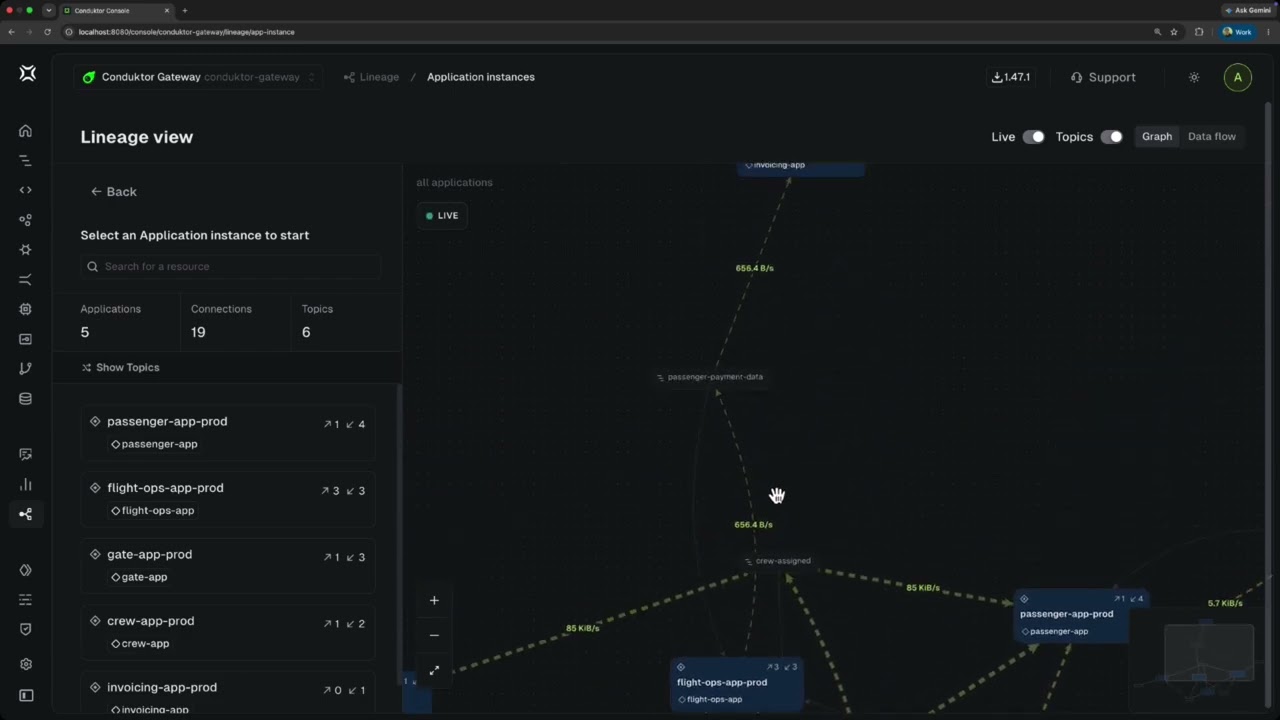
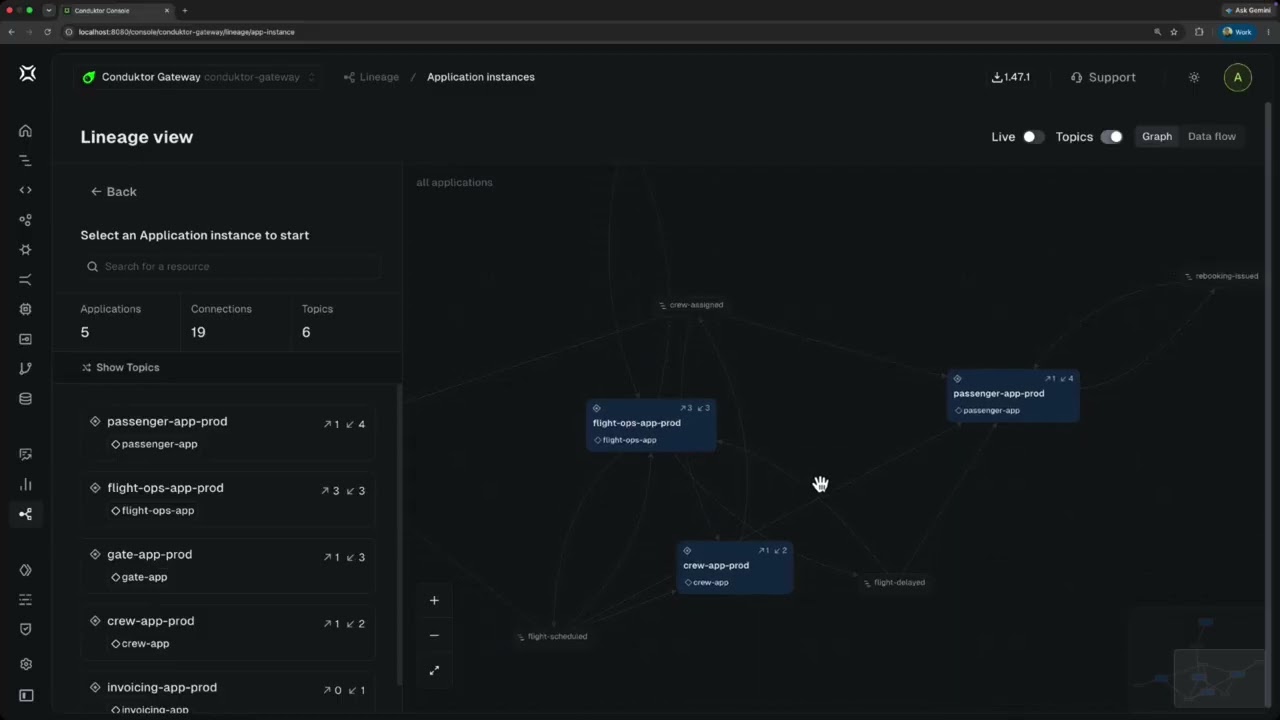
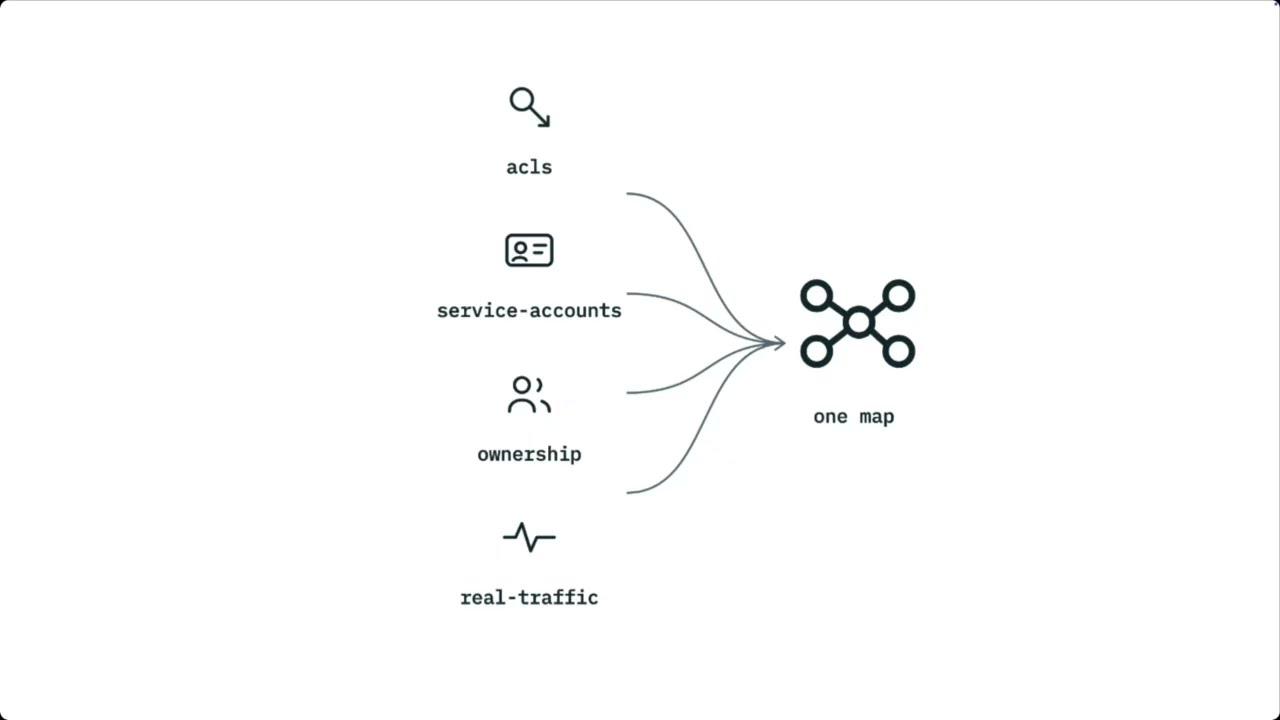
Walk the dependency map for a Kafka estate in Console: application and service account views, live traffic, drill-down by hops, and the consumers nobody registered.
Retire a topic, find a hot path, and turn up an unregistered consumer across an airline's Kafka estate, using a dependency map built from ACLs, ownership, and live Gateway traffic.
Onboarding a team, retiring a topic, and chasing a hot connection all need the same three answers, and most teams get them by asking around. Why the dependency map is so hard to build.
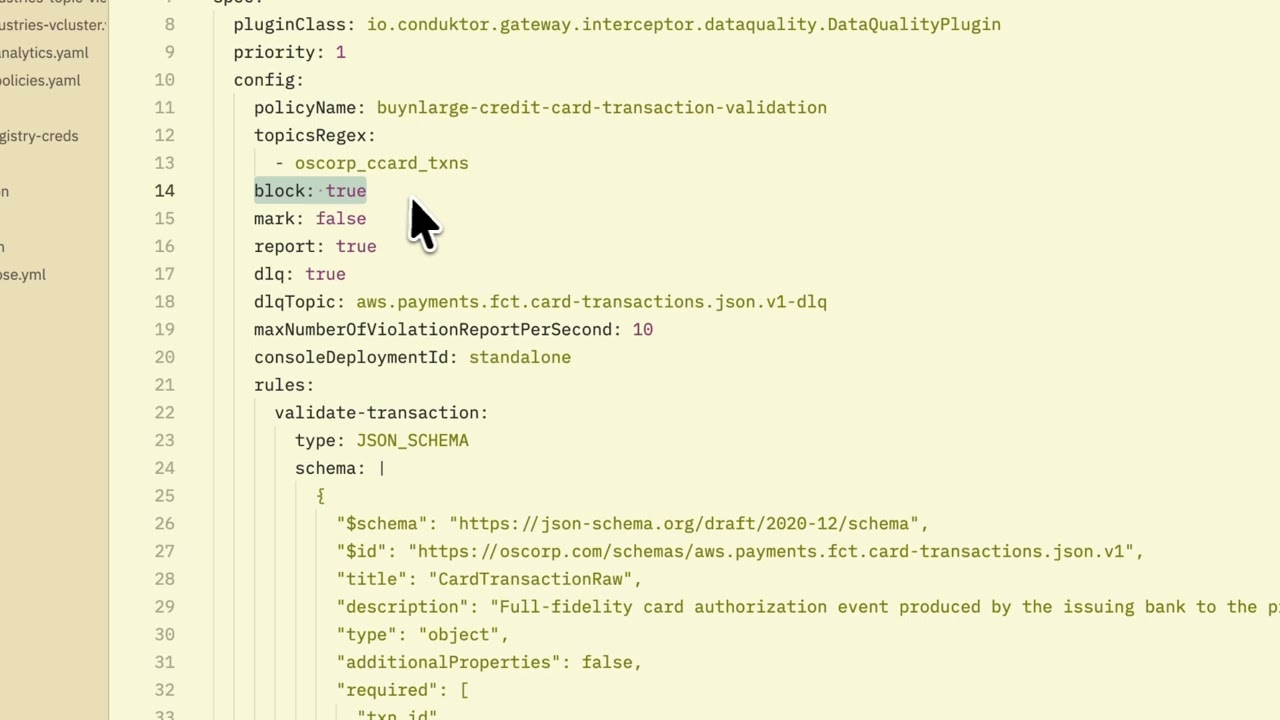
Reject malformed Kafka records at produce time with Gateway data quality policies: JSON Schema or CEL rules, plus a dead letter topic the producer can debug.
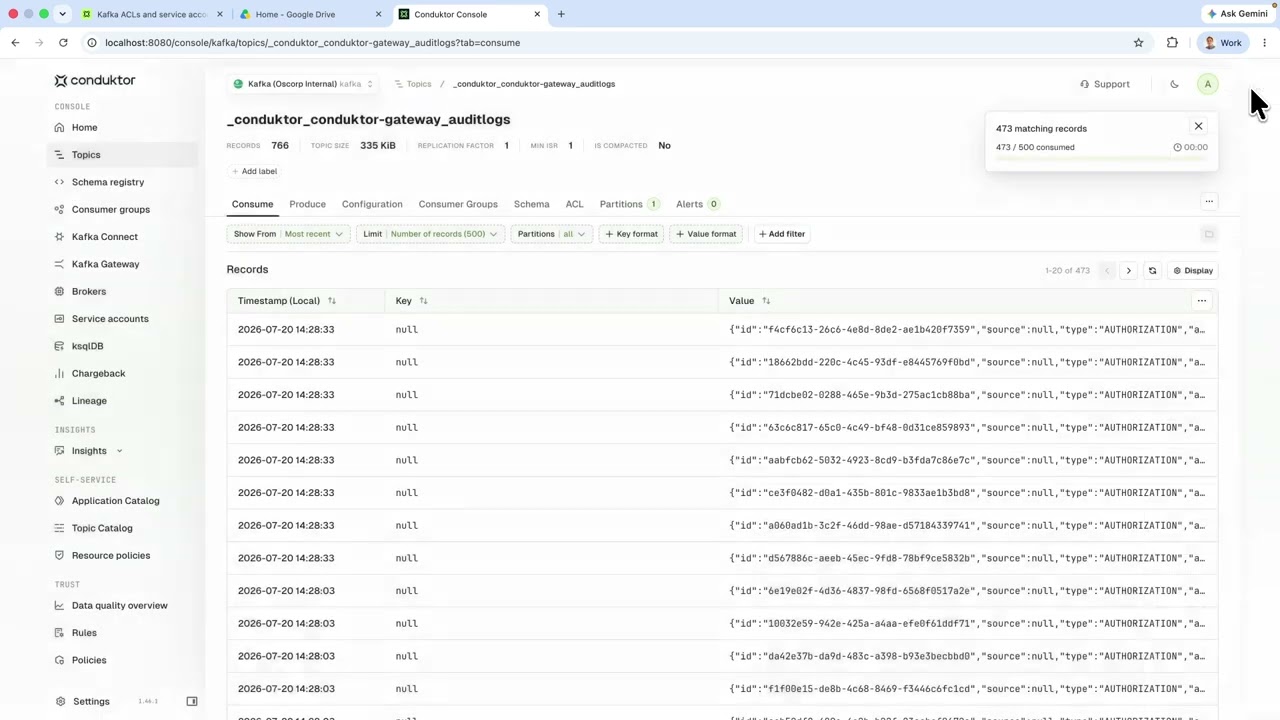
Conduktor Gateway stores its state in Kafka topics. A look inside per-virtual-cluster ACLs, the audit log, interceptor configs, and per-partner byte metering.






"As a QA/Automation manager my focus is on seamless connectivity between the tools that make up the tech stack in my organization. Conduktor's UI is sleek, intuitive, and significantly enhances Kafka management by providing a visually rich and user-friendly experience."
QA Manager, Snappy
"Conduktor has transformed our Kafka management. Its intuitive interface and robust real-time monitoring tools have streamlined our operations, cutting troubleshooting time by over 30%. The powerful debugging features are invaluable for our team."
Backend Engineer, Greentube
"We have been using Conduktor for about 1.5 years. Before Conduktor, we were trying to manage our Kafka clusters via cli/postman. It was very hard to use and open for errors. After we installed Conduktor our team quickly adopted it. The platform had a huge impact in our environment."
Data Analytics Team Lead, Ciceksepeti
"Out of all the Kafka tools I've used, Conduktor is by far the easiest to implement and has the most thorough set of features. As a Production Support Engineer who depends on visibility on all components, Conduktor makes it easy to navigate and troubleshoot issues."
Chuck
Production Support Engineer, Fermenta Energy
"Conduktor helped us visualize and understand our data streams without the complexity of manual CLI commands. The interface was intuitive, and it made interacting with Kafka much easier. If you're using Kafka regularly, it's definitely worth trying!"
Data Analyst, Opalean
"Conduktor helps me daily with tracking all my Kafka topics, operations have been more smooth as we can detect quickly bottlenecks. I definitely recommend Conduktor to everyone, the effect on daily operations is huge."
Data Scientist, Intelligent Locations
Enjoying Conduktor? Share your experience on G2
What are the system requirements?
Console needs 2 CPU cores, 3 GB RAM, and 5 GB disk minimum. Conduktor Gateway, our Kafka proxy, needs 2 CPU cores and 4 GB RAM. Both require Kafka 2.5.0 or higher.
Is internet access required?
No, you can run Conduktor in air-gapped environments. The Docker images work without internet access.
What databases does Conduktor need?
An external PostgreSQL 13+ database for configuration, users, and permissions. For monitoring, you can optionally configure S3, GCS, or Azure blob storage.
How long does setup take?
The quick-start command deploys a complete stack in under 5 minutes. Production deployments typically take 1-2 hours depending on your infrastructure.
Is there a free tier?
Yes, Conduktor offers a free tier for individuals and small teams. See pricing for details.
Which Kafka distributions are supported?
Conduktor works with any Kafka 2.5.0+, including Confluent Platform, Amazon MSK, Redpanda, Aiven, and self-managed Apache Kafka.
Last updated: June 2026