
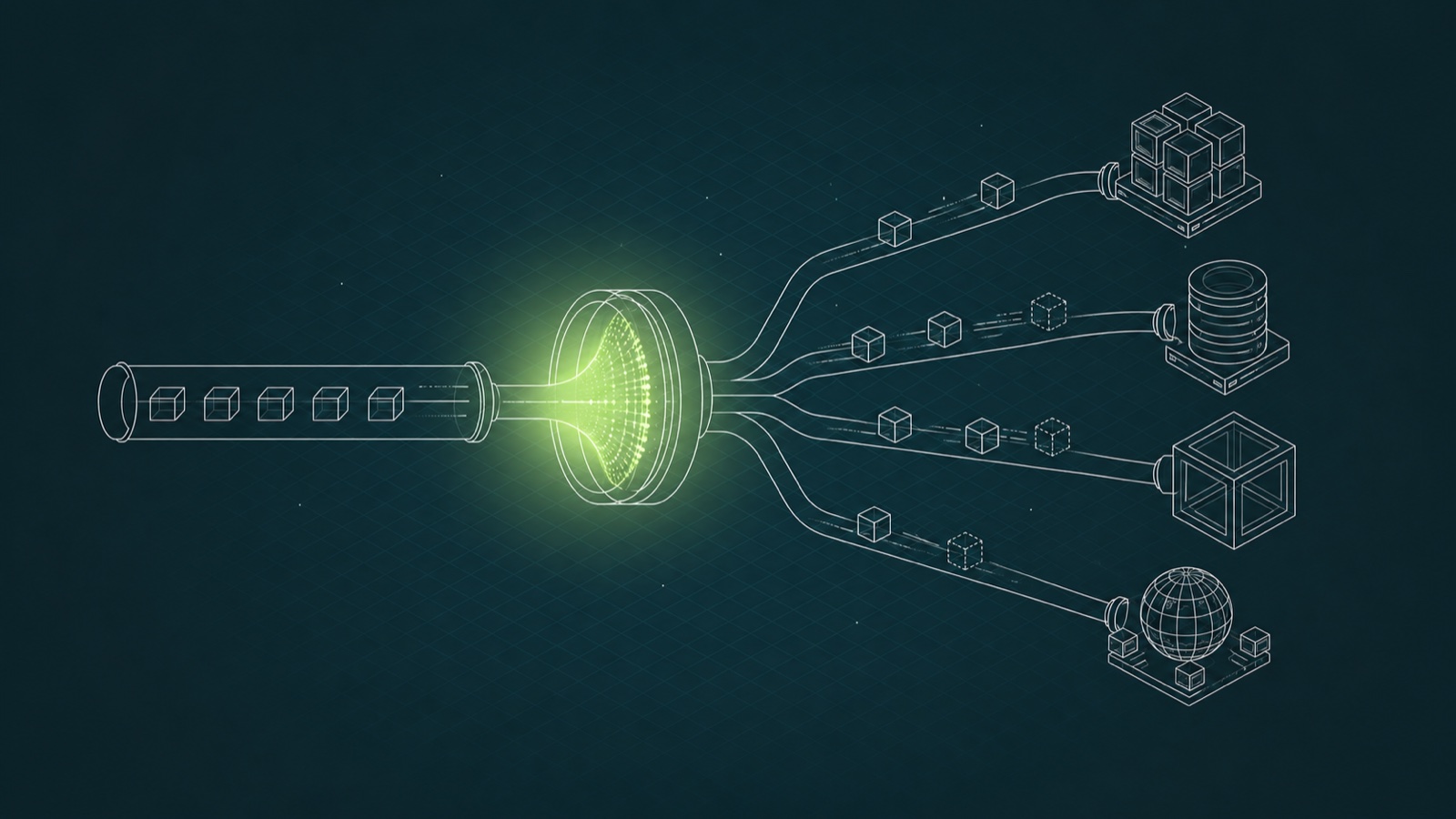
Different consumers often need different representations of the same topic. Sometimes that means creating another topic, a stream processor, or both. Those are valid choices when you're sending data somewhere else or computing something new.
But not every requirement is new data. Sometimes a consumer just needs a filtered, projected view of data that already exists.
Topic views add another option: compute that representation at read time while leaving the raw topic untouched.
One Raw Topic, Three Consumer Requests
A raw customers topic lands in Kafka from Postgres through a Kafka Connect source connector. Each record carries the full customer:
{
  "id": "c_8231",
  "first_name": "Aroha",
  "last_name": "Ngata",
  "email": "aroha@example.co.nz",
  "country": "NZ",
  "signup_date": "2026-03-02",
  "status": "active",
  "total_spend": 1840.00
}
You keep it that way on purpose. The raw topic is your source of truth. Then three teams ask for different slices of it.
Leaving Kafka? Use a Sink Connector
The search team wants customer data in Elasticsearch with email masked. The data is leaving Kafka, so you shape it on the way out with a sink connector. A MaskField SMT redacts the email, and the topic in Kafka never changes.
Kafka keeps the raw data, and Elasticsearch gets the version it needs.
Computing New Data? Streams or Flink
The fraud team wants each customer joined to their transactions with a rolling 24-hour spend total. That's stateful: the answer for one record depends on other records, and the result doesn't exist anywhere yet.
So you reach for Kafka Streams or Flink to compute it and write a new topic. The new topic isn't just a duplicate. It's the output of a computation.
When You Just Need a Slice of Data
A third team runs a service for New Zealand customers. They need:
- Active New Zealand customers
- Only customers who signed up this year
- Just the fields their service reads: id, first name, and signup date
- Each customer labeled priority or standard, based on total spend
- Delivered as a Kafka topic they can consume
No joins. No aggregations. No external system. No new data being computed. They just need a different view of the same data.
This is the requirement that can stump you. Kafka has good answers for moving data out and for computing new data, but a per-consumer slice of an existing topic sits somewhere in between.
Existing Approaches Force a Tradeoff
One option is to reshape the source topic itself. A source-side transform rewrites what lands in Kafka, so now nobody gets non-NZ customers or the fields that were removed, and the raw topic you wanted to preserve as your source of truth is gone. That tradeoff can come back later. The field you remove for one consumer is often the field another team needs next quarter.
Another option is Kafka Streams. Read the topic, filter the records, project the fields, and write another topic. It works. But now you're running a service and storing another copy of data you already had, all for a WHERE clause and a SELECT.
You could also use Flink. That gives you a full processing layer, which is exactly what you want for complex computation. But for a stateless filter and projection, it can be more machinery than the requirement needs.
You could filter in the consumer. But by then, the full record has already crossed the network, and fields the consumer shouldn't see have already reached the client.
You could use ACLs. ACLs gate access to the whole topic: read it or don't. They don't filter records down to New Zealand, and they don't hide individual fields.
Each of those costs you something: the raw, the right endpoint, a copy, or the granularity. The missing abstraction isn't another copy of the topic. It's a view.
Topic Views Separate Representation from Storage
If you've created a database view, you already know the model. The table underneath doesn't change, and different readers see different projections of it.
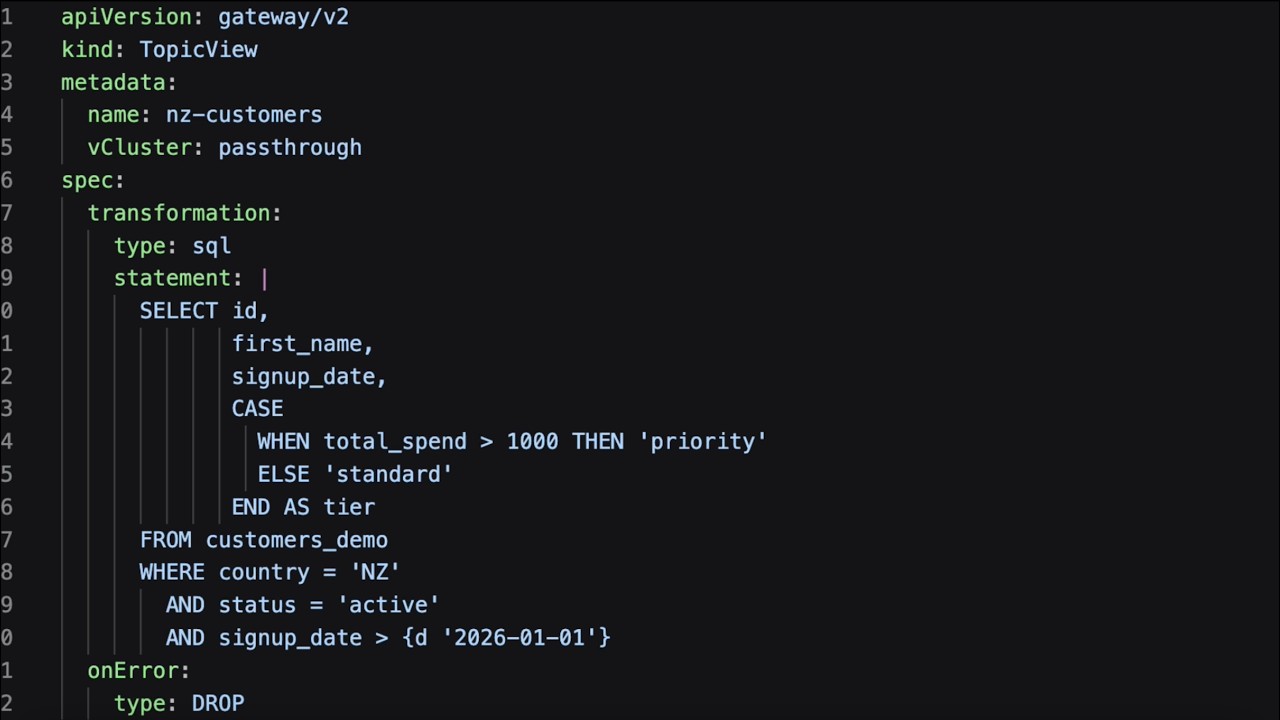
A topic view brings that model to Kafka. The raw topic stays exactly as it is, and Conduktor Gateway computes a filtered and projected version of that topic as records are fetched. Read time, per consumer, no copy.
The View in SQL
The New Zealand team's requirement becomes one statement:
SELECT id,
       first_name,
       signup_date,
       CASE
         WHEN total_spend > 1000 THEN 'priority'
         ELSE 'standard'
       END AS tier
FROM customers
WHERE country = 'NZ'
  AND status = 'active'
  AND signup_date > {d '2026-01-01'}
The SELECT projects only the fields the service needs and derives a tier on the fly. Email and last name aren't included, so they never reach the consumer. The WHERE filters down to active New Zealand customers who signed up this year.
The raw topic remains untouched. Everything else is a view over it.
The SQL goes well beyond a filter and a few fields. A few more things it handles, all in the topic views docs:
- Filtering on the record key, headers, and Kafka metadata, not just value fields. A per-tenant view, for example, is a single
WHERE record.header.tenant = 'prod'. REGEXPmatching, for when equality isn't enough.- Nested JSON and array access, to filter and project deep inside a record.
- Projecting Kafka metadata like the key, partition, or offset into the output, alongside the value fields.
Choosing Between SMTs, Streams, Flink, and Topic Views
- Sending data to another system and reshaping it? Use a sink connector with an SMT.
- ➡ The data is leaving Kafka, so shape it on the way out.
- Computing new data with joins, aggregations, or state? Use Kafka Streams or Flink.
- ➡ You're creating a result that doesn't already exist.
- Giving one consumer a filtered or projected slice of data that already exists? Use a topic view.
- ➡ If you would otherwise create another topic just to give one team a different representation of the same data, this is the case topic views are built for.
What Topic Views Don't Do
A topic view isn't a stream processor. It doesn't do joins, it doesn't do aggregations, and it doesn't replace Kafka Streams or Flink when you're computing new data. It's also not a write-time transformation: instead of storing another topic, Gateway applies filtering and projection on each fetch.
A view hides data, it doesn't delete it. The email still exists in the raw topic; the view simply never sends it to that consumer. If your requirement is that PII should never land in Kafka at all, that's still a connector-side masking problem.
Topic views solve a different problem: letting different consumers see different representations of the same topic without changing the raw data or creating another copy.
See It Run
Topic views are generally available in Gateway 3.20. Watch the demo below: we build the New Zealand view from scratch, then take the SQL further than the snippet above, filtering on headers and reaching into nested JSON.
If you've ever copied a topic just to reshape it for one team, that's what topic views are for. A different view of your data doesn't have to mean another copy.
Want to build one yourself? Topic views are a hands-on lab in Advanced Kafka Virtualization, a live workshop on October 15.