
"How do I reduce our Kafka costs?" usually gets the same answer: turn on compression, shorten retention, right-size partitions, add tiered storage, enable fetch-from-follower. Those all help, and a platform team that works through the list will see the bill go down.
Then it often creeps back. The next team creates a topic with 24 partitions because the last one did, a producer ships without compression, and somebody sets retention to 30 days just in case. None of those changes needs anyone's approval, so the cleanup slowly undoes itself.
The cuts that stick come from limits applied when topics and clients are created, not from another audit. Kafka makes creating waste free, and a cost reduction lasts only as long as that stays true.
The usual checklist works, once
Most of Kafka's cost comes from a handful of topic and client settings, and their defaults favour getting started over spending carefully. The settings that move the bill most, and the usual fix for each:
| Setting (Kafka default) | What it costs you | Usual fix |
|---|---|---|
Producer compression.type (none) | Every byte goes over the network, onto disk and into every replica at full size | zstd or lz4 on every producer |
Topic retention.ms (7 days) | Storage grows with retention, multiplied by the replication factor | Match it to how far back consumers actually read |
| Partition count (whatever the creator picks) | Managed services often bill per partition-hour, and the count can't be lowered later | Size it from measured throughput, not from the last topic |
auto.create.topics.enable (true) | Any client can create a topic by producing to a name that doesn't exist | Set it to false |
Consumer client.rack (not set) | Consumers read from the leader, often in another zone, and cross-zone traffic is billed per GB | Set it, with the rack-aware replica.selector.class on brokers (KIP-392) |
remote.log.storage.system.enable (false) | Every retained byte sits on broker disks | Tiered storage (KIP-405) for long-retention topics |
But each of those fixes is applied to what exists on the day of the cleanup. None of them changes what happens when the next topic is created.
Cleanups regress because creation is free
Take a platform team that spends a month on cost. They delete a few hundred idle topics, bring retention on the big ones down to seven days, and get the noisiest producers onto zstd. The bill drops.
Over the following months, a lot of that saving goes. Nobody reversed the cleanup; new applications arrived and made the same choices the old ones had. In Kafka, the team creating a topic picks its partition count and retention, and the producer's author picks the compression. The platform team only sees the result when it reaches the bill.
Platform teams describe this to us often. One hits the partition limit on its non-production cluster every week or two:
"We do a cleanup and we basically just bounce off that limit. And then I have to threaten product teams with deleting." — Platform engineer at a large US retailer
Compression has the same gap. The Kafka platform lead at a European public financial institution told us that checking whether producers compress would mean going through every client's configuration by hand, which isn't realistic across more than a hundred applications and about a thousand environments.
Partitions make this worse than it looks. Kafka can add partitions to a topic but can't remove them, so a topic created with 24 partitions keeps paying for 24 until someone recreates it and moves every producer and consumer across. A wrong choice at creation is the expensive kind of mistake, because undoing it takes a migration.
MSK Serverless puts numbers on it. In US East it bills $0.0015 per partition-hour, and a cluster holds at most 2,400 partitions on non-compacted topics. A hundred topics created at 24 partitions fill that cluster. At 12 partitions they would fill half of it. The extra 1,200 partitions cost about $1,300 a month, or $15,800 a year, and they use up the room the next team needed.
🚫 "We did a cost review last year. We're in good shape."
A review measures the cluster on the day it ran. If teams can still create topics and producers with any settings they like, the review starts going out of date the day it ends, and the waste it removed comes back at the rate new applications arrive.
The broker has no setting for "at most 12 partitions"
Kafka does have hooks for this. A broker can load a custom create.topic.policy.class.name plugin that rejects topic requests, and ACLs decide who may create topics at all. Some teams also turn off auto.create.topics.enable and route every request through a ticket.
Those controls are coarse in practice:
- ACLs answer yes or no. An ACL can allow a principal to create topics under a prefix. It can't say "but only with up to 12 partitions and seven days of retention".
- A policy plugin is Java on every broker. You write it, deploy it to the broker classpath and restart. Many managed Kafka services don't let you load your own broker plugins at all.
- Compression is decided in the client. The broker can recompress what arrives if the topic says so, which saves disk, but it can't refuse an uncompressed batch. The network cost of the uncompressed write has already been paid.
- Tickets don't scale. A person checking each request works for ten teams. It turns the platform team into the bottleneck at fifty.
So the limits usually live in a wiki page or a review checklist. They describe what teams should do, and nothing checks that they did it.
Put the limits where topics and clients are created
A limit that holds has to run at the moment of creation, on every path a topic or a client can take into the cluster. In most companies there are two paths: requests that go through a provisioning workflow (Git, a portal, Terraform), and clients that talk to the cluster directly, such as Kafka Streams apps creating internal topics or a script calling the Admin API.
One Kafka platform team at a European car maker set this up during a move to a new platform. Before the move, teams sized topics by habit:
"They create topics with 100 partitions with a throughput of one megabyte." — Kafka platform lead at a European car maker
Every application recreated its topics on the new platform, under a default limit set in Conduktor: six partitions per topic, and anything more needs a case made to the platform team. Their production cluster went from about 100,000 partitions to 10,000.
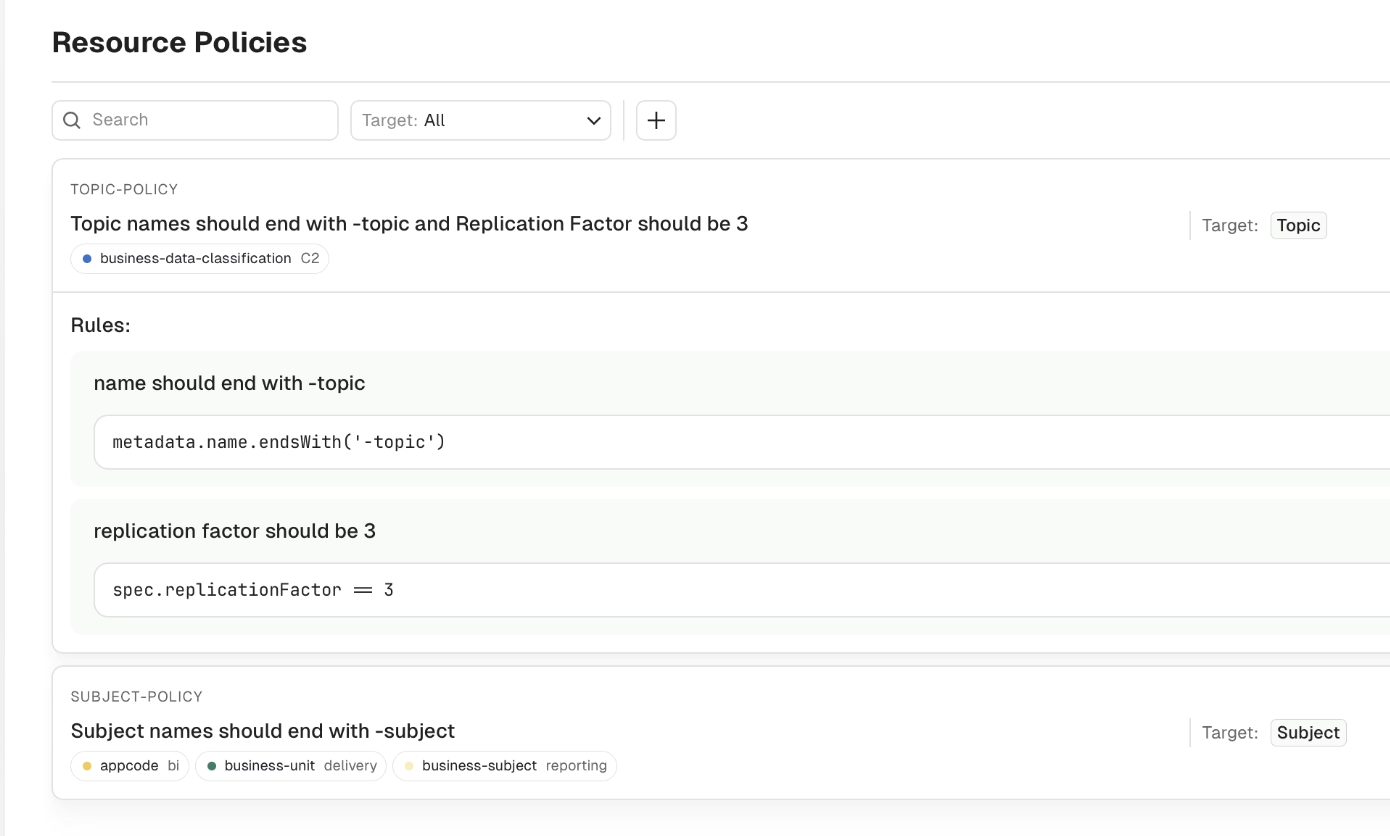
Conduktor covers both. For teams that provision through federated ownership, Console checks each topic against a resource policy when it's created and again when it's updated. A rule like spec.partitions <= 12 or a retention range rejects the request with the error message you wrote.
For everything else, Conduktor Gateway sits between the clients and the brokers and applies the same kind of limit on the Kafka protocol itself.
On the Gateway side, the create-topic policy caps partition count and retention on every new topic:
apiVersion: gateway/v2
kind: Interceptor
metadata:
  name: cost-limits-on-create
spec:
  pluginClass: io.conduktor.gateway.interceptor.safeguard.CreateTopicPolicyPlugin
  priority: 100
  config:
    topic: ".*"
    numPartition:
      min: 1
      max: 12
      action: INFO
    retentionMs:
      max: 604800000
      action: INFO
topic is a regex, so you can scope the limits to one team's prefix first. numPartition caps new topics at 12 partitions, and retentionMs caps retention at seven days. action: INFO lets every request through and writes the ones that break a limit to Gateway's audit log, so you see who would have been rejected before anyone is. Once the log looks right, switch to BLOCK.
Two neighbouring policies close the gaps that creation alone leaves. The alter-topic-config policy applies the same retention limits when someone raises retention.ms on an existing topic. The produce policy checks which compression codec each producer uses, and can log or reject batches that arrive uncompressed.
What guardrails don't fix
Limits stop new waste. They don't remove the waste you already have, and they have edges worth knowing:
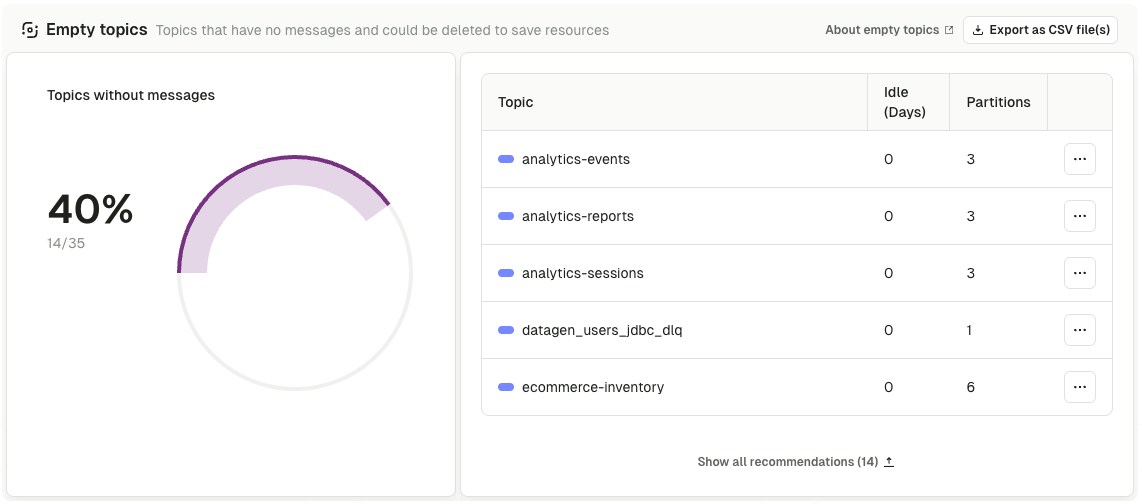
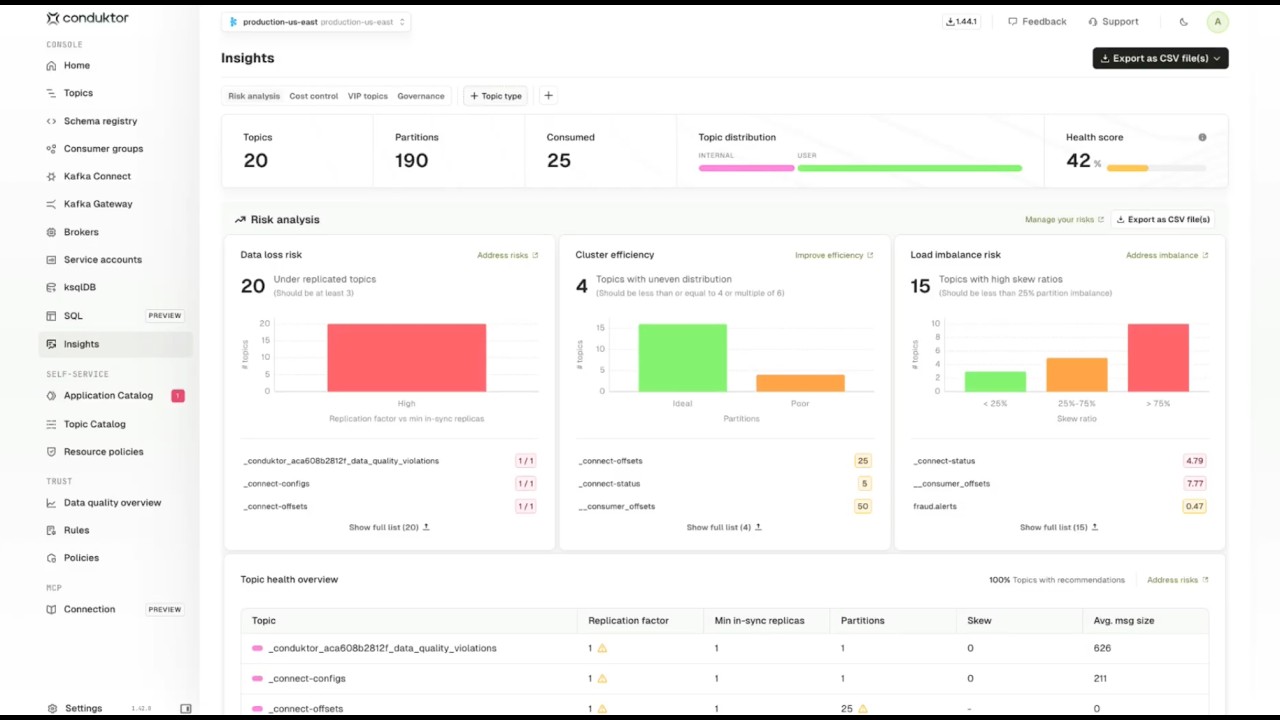
- Existing topics stay as they are. A policy checks requests, so a topic created before it keeps its 24 partitions. You still need one cleanup pass, and Insights cost control lists the empty, stale and tiny topics to start from.
- The produce policy won't rewrite compression. It can log or block an uncompressed producer, not compress the batch for it. The fix is a config change in the application, and blocking is how you make it happen.
- Admin keys bypass Console policies. Requests made with an Admin API key skip resource policies, which is right for the platform team and a reason to keep those keys out of pipelines.
- A limit is only as good as its numbers. Twelve partitions is far too few for some topics. Scope limits by prefix or application, and leave a documented path for the exceptions.
Make the cost visible to the team that creates it
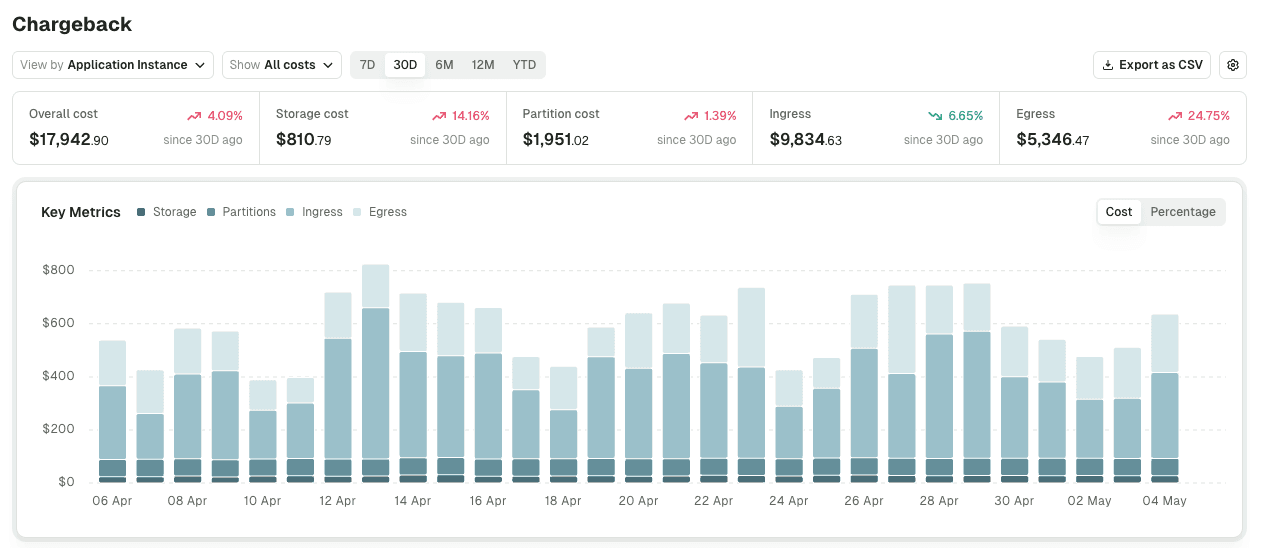
Limits stop teams from making expensive choices by default. The other half is giving application teams a reason to care what their topics cost, and that needs a number with their name on it.
Kafka has no chargeback mechanism, so a provider's bill arrives as one line for the whole cluster. Chargeback in Conduktor Console splits it across five axes: storage, partitions, ingress, egress and Kafka Connect task hours. It groups the cost by cluster, by application or by label. An application owner can be given a view of their own application's costs without seeing anyone else's.
| Lever | What it fixes | When it runs |
|---|---|---|
| Cleanup pass | Waste that already exists | Once, then rarely |
| Limits at creation | New waste from defaults and habits | On every create and config change |
| Chargeback per application | Teams not knowing what their choices cost | Continuously |
Where to start
- Do one cleanup pass. Delete empty and abandoned topics, cut retention where nobody reads old data, and get the largest producers onto compression. Write down the numbers you cleaned to.
- Turn those numbers into limits. Partition caps, a retention range and required compression, applied wherever topics and producers are created. Run them in
INFOfor a couple of weeks, read the audit log, then move toBLOCK. - Show each team its own cost. Once the limits hold, chargeback per application turns "Kafka is expensive" into a conversation about specific topics and specific choices.
You can reduce Kafka costs with a cleanup, and the bill will drop. It stays down only if the next team to create a topic gets the same limits the cleanup applied, checked automatically at creation instead of written in a wiki.
If you'd like a second pair of eyes on where your cluster's spend goes, our field engineers run a free Kafka cost analysis.
Related: Kafka Cost Optimization: The Layer Above Broker Tuning → · Kafka: Your Last FinOps Bastion → · The Surprising Cost of Kafka Partition Waste → · Kafka FinOps →