# Kafka topic internals: segments and indexes
*Learn how Kafka stores data on disk with segments and indexes*
Understanding Kafka's storage internals helps you troubleshoot issues, tune configurations, and make informed decisions about segment sizing and retention policies.
**What you'll learn:**
- How partitions are split into segments on disk
- The role of offset and timestamp indexes
- Segment configuration options and their impact
- How to inspect Kafka's directory structure
## Kafka topic partitions and segments
The basic storage unit of Kafka is a partition replica. When you create a topic, Kafka first decides how to allocate the partitions between brokers. It spreads replicas evenly among brokers.
Kafka brokers split each partition into **segments**. Each segment is stored in a single data file on the disk attached to the broker. By default, each segment contains either 1 GB of data or a week of data, whichever limit is attained first.
When the Kafka broker receives data for a partition, as the segment limit is reached, it will close the file and start a new one:
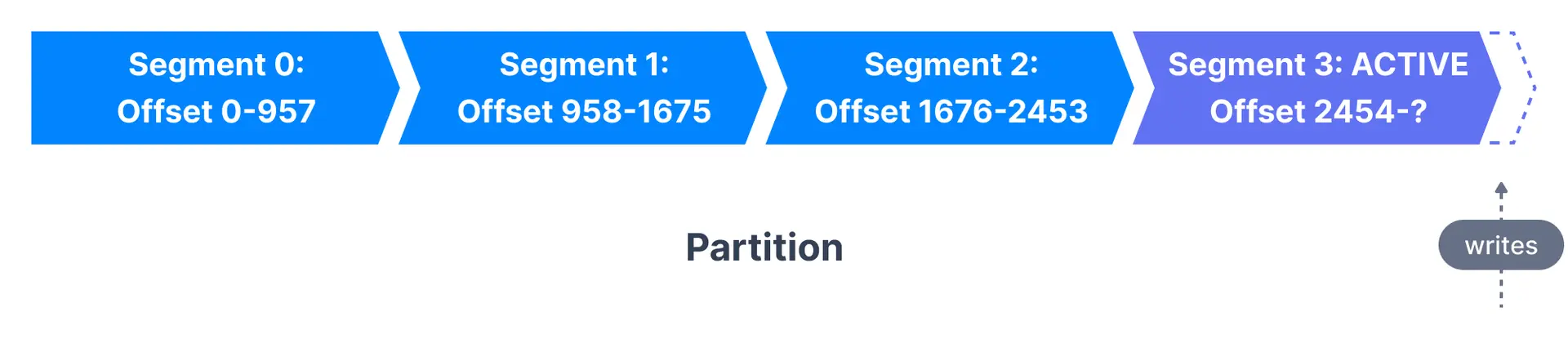
Only one segment is ACTIVE at any point in time - the one data is being written to. A segment can only be deleted if it has been closed beforehand.
### Segment configuration
| Configuration | Default | Description |
|---------------|---------|-------------|
| `log.segment.bytes` | 1 GB | Maximum size of a single segment |
| `log.segment.ms` | 7 days | Time before closing segment if not full |
> **Topic-level override**
> These broker-level configurations can be overridden at the topic level using `segment.bytes` and `segment.ms`. See [log retention](https://www.conduktor.io/kafka/kafka-topic-configuration-log-retention) for more details.
A Kafka broker keeps an open file handle to every segment in every partition - even inactive segments. This leads to a usually high number of open file handles, and the OS has to be tuned accordingly.
## Kafka topic segments and indexes
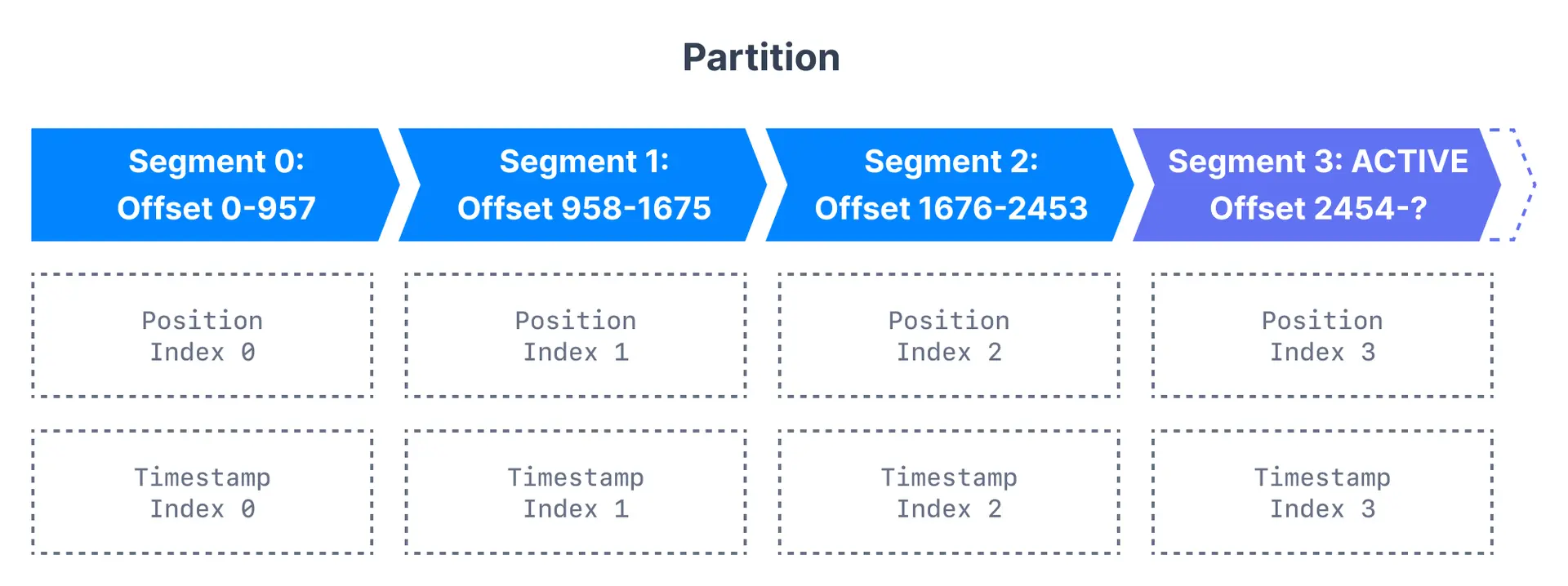
Kafka allows consumers to start fetching messages from any available offset. To help brokers quickly locate the message for a given offset, Kafka maintains two indexes for each segment:
| Index type | Purpose | Use case |
|------------|---------|----------|
| Offset to position | Maps offset to byte position in segment | Fast message lookup by offset |
| Timestamp to offset | Maps timestamp to nearest offset | Time-based message seeking |
## Inspect the Kafka directory structure
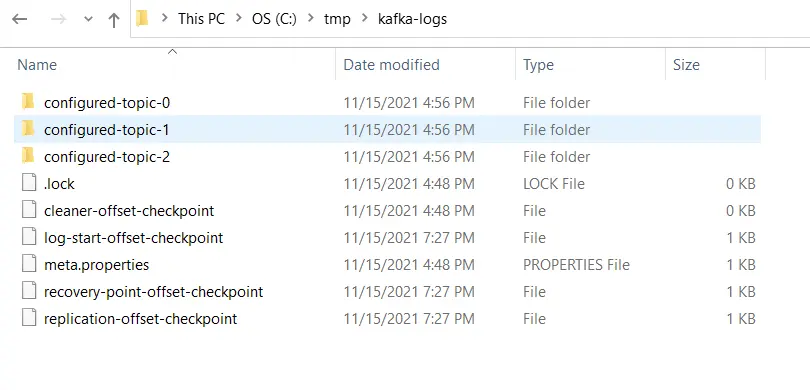
Kafka stores all of its data in a directory on the broker disk. This directory is specified using the property `log.dirs` in the broker's configuration file. For example,
```properties
# A comma separated list of directories under which to store log files
log.dirs=/tmp/kafka-logs
```
Explore the directory and notice that there is a folder for each topic partition. All the segments of the partition are located inside the partition directory. Here, the topic named `configured-topic` has three partitions, each having one directory - `configured-topic-0`, `configured-topic-1` and `configured-topic-2`.
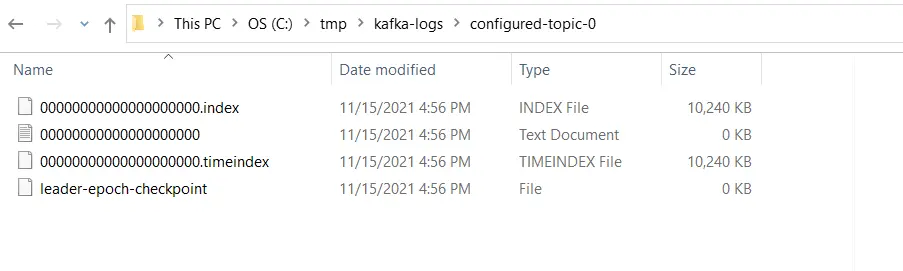
Descend into a directory for a topic partition. Notice the indexes - time and offset for the segment and the segment file itself where the messages are stored.
## Considerations for segment configurations
Let us review the configurations for segments and learn their importance.
### log.segment.bytes
As messages are produced to the Kafka broker, they are appended to the current segment for the partition. Once the segment reaches the size specified by `log.segment.bytes` (default 1 GB), the segment is closed and a new one is opened.
**Considerations:**
- A smaller segment size means files have to be closed and allocated more often, reducing disk write efficiency
- Once closed, segments become eligible for cleanup based on retention policy
- Topics with low produce rates may need smaller segments to enable timely cleanup
- Very small segments increase open file handles, risking "Too many open files" errors
### log.segment.ms
Specifies the time after which a segment should be closed (default 1 week). Kafka closes a segment when either the size limit or time limit is reached, whichever comes first.
**Considerations:**
- Time-based limits can cause multiple segments to close simultaneously, impacting disk performance
- Shorter times enable more frequent [log compaction](https://www.conduktor.io/kafka/kafka-topic-configuration-log-compaction)
> **File handle limits**
> A Kafka broker keeps an open file handle to every segment in every partition. With many partitions and segments, this can exhaust OS file handle limits. Tune your OS `ulimit` settings accordingly.
## Segment sizing decision guide

```mermaid
flowchart TD
Start["Configure segments"] --> Q1{{"High message
volume?"}}
Q1 -->|"Yes"| Large["Use larger segments
(1GB default)"]
Q1 -->|"No"| Q2{{"Need frequent
cleanup?"}}
Q2 -->|"Yes"| Small["Use smaller segments
or shorter segment.ms"]
Q2 -->|"No"| Default["Keep defaults"]
Large --> Monitor["Monitor disk usage
and file handles"]
Small --> Monitor
Default --> Monitor
```
## Next steps
- [Change topic configuration](https://www.conduktor.io/kafka/how-to-change-a-kafka-topic-configuration-using-the-cli) to tune segment settings
- [Configure log retention](https://www.conduktor.io/kafka/kafka-topic-configuration-log-retention) for time-based cleanup
- [Understand log compaction](https://www.conduktor.io/kafka/kafka-topic-configuration-log-compaction) for key-based retention